
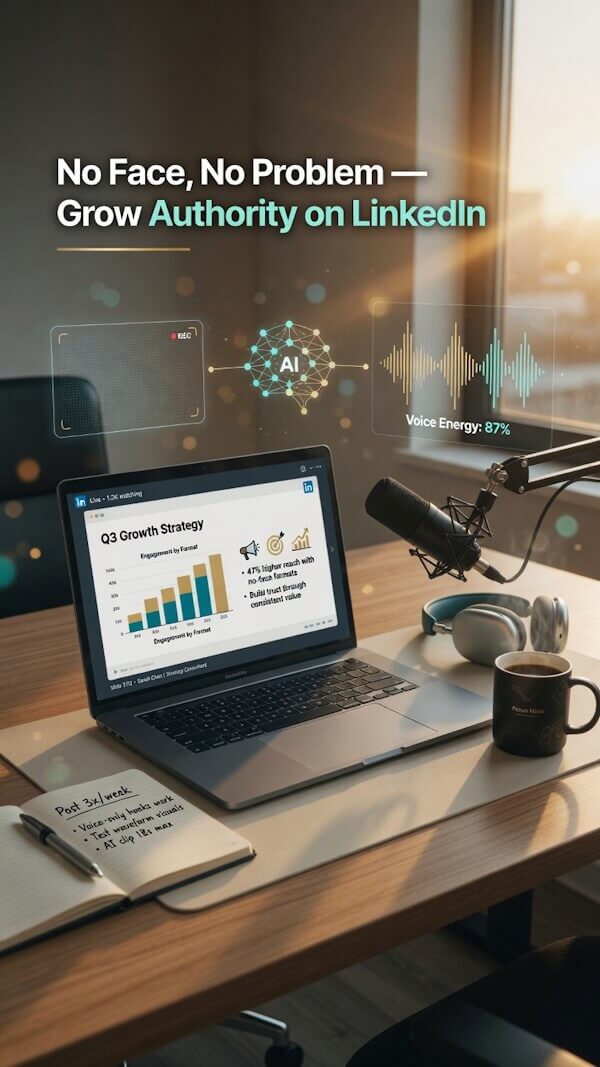
If you want to grow your authority, a faceless LinkedIn video is a powerful tool that proves you do not need a studio setup to succeed.
No face, no problem. For professionals who are camera shy, LinkedIn video content can work even if you never want to film yourself. Buyers care more about your expertise and insights than whether you smile into a lens.
That makes these types of faceless videos a strong fit for consultants, agencies, SaaS service providers, and coaches. By utilizing screen recordings, slides, AI visuals, and voiceovers, you can master your content creation process to deliver practical value. If you need LinkedIn video ideas that feel doable, this is the best place to start.
Why Faceless LinkedIn Videos Work For B2B Service Brands
A buyer on LinkedIn isn’t grading your screen presence. They’re asking a simpler question: do you understand the problem, and can you help fix it?
Buyers Want Useful Ideas, Not Perfect Camera Presence
B2B buyers respond to clarity. Show them a better process, a smart shortcut, a common mistake, or a real result, and you’ve already done the hard part. Your face isn’t the proof, your thinking is. You can build a recognizable personal brand without ever appearing on camera by focusing entirely on high-value insights.
LinkedIn has even said in its own tips for compelling B2B video content that B2B video doesn’t need to be another talking-head clip. A clean screen recording, a sharp explainer, or a simple text-led video can feel more useful than a stiff on-camera monologue. By utilizing digital storytelling, you can guide prospects through complex ideas with ease and authority.
On LinkedIn, insight beats polish.
Faceless Content Makes Posting Easier And More Consistent
This is the part most teams feel right away. When you remove lights, makeup, retakes, and the pressure to perform, content gets easier to make.
That matters because consistency beats occasional bursts of effort. Faceless formats are easier to batch, repurpose, and hand off to a team member or editor. One process video can become a shorter clip, a carousel, and a follow-up post.
The best format is the one you can repeat. These ideas work because they make an invisible service feel visible.
Use Screen Recordings To Show Your Process Or Service
Services can feel abstract until people see the work. A screen recording fixes that fast.
Walk through an audit, a dashboard, a report, a workflow, an onboarding step, or a software setup. These educational videos provide immense value to your audience.
As a consultant, you can show how you review data. If you’re an agency, show how you structure a campaign. If you’re in SaaS services, use a product showcase to demonstrate how one feature solves one specific problem. This is also a smart way to build a repeatable video marketing system, because the format is simple and easy to batch.
Turn Simple Slides Into Short Expert Videos
Slide videos are underrated. They are easy to make, easy to brand, and perfect for AI-assisted creation.
Pick one idea and break it into clean frames. Good examples include “3 reasons your leads stall,” “5 signs your website copy is losing deals,” or “before and after onboarding.” Because these slides provide long-term value to your prospects, they function as perfect evergreen content.
Keep one point per slide. Use large text, simple contrast, and light motion. If each slide looks like a crowded presentation deck, trim it down.
Record Voiceovers Over B Roll, Charts, Or Animated Text
A voiceover lets you sound human without appearing on screen. That’s a big win if you want trust without the pressure of filming yourself.
Use branded visuals, stock footage, b-roll footage, AI-generated scenes, charts, screenshots, or subtle motion backgrounds. Then layer in a short voiceover that explains the point.
This works well for service results, market observations, and mini explainers. The voice carries the meaning, while the visuals keep the pace moving.
Create FAQ Videos That Answer Buyer Questions Fast
Good FAQ videos do two things at once. They save time in your sales process and
Answer the questions prospects keep asking: How long does this take? What does the deliverable include? Who is this service right for? What happens after the first call? What affects price? Each answer can become a 20 to 45-second video with text, voiceover, and a few supporting visuals.
Repurpose Webinars, Podcasts, And Long Videos Into Short Clips
You don’t need a fresh idea every time you post. You need a better way to package what you already have. remove doubt before someone ever books a call.
Pull a strong quote, a framework, a sharp opinion, or one useful lesson from a webinar, podcast, training, or client presentation. Add captions, tighten the pacing, and lead with the most interesting line first.
By repurposing these assets, you are actively increasing your LinkedIn engagement while building a stronger social media brand. This is one of the clearest benefits of video marketing for companies; you get more value from work you’ve already done.
Use Text-Only Thought Leadership Clips For Fast Posts
Some of the best LinkedIn video ideas are barely videos in the traditional sense. They’re moving text, a strong point of view, and enough motion to hold attention.
Use bold statements, myth-busting takes, lessons from client work, or a clear opinion about what people get wrong. The message has to be sharp. If it sounds generic, the format won’t save it.
How To Pick The Right Video Idea For Each Stage Of The Funnel
Not every video should do the same job. By mapping your content to a specific video funnel, you ensure that every post serves a purpose. Some posts should capture attention, others should build confidence, and a few should nudge a prospect to finally contact you.
This quick view makes the match easier:
| Funnel Stage | Best Video Types | Main Goal |
|---|---|---|
| Top of funnel | Myths, quick tips, common mistakes, pain-point clips | Reach and discovery |
| Middle of funnel | FAQs, process breakdowns, mini case studies, explainers | Lead generation and trust |
| Bottom of funnel | Testimonials, results clips, service walkthroughs, objection handling | Inbound leads and action |
Faceless LinkedIn Video: Top Of Funnel Ideas For Reach And Discovery
At this stage, keep it broad and easy to understand. Use a strong hook and one clear idea.
Great options for short-form content include “the mistake costing you demos,” “why most proposals get ignored,” or “what small brands get wrong about LinkedIn content.” These work because they tap into common pain points and pique curiosity enough to stop scrolling.
Middle Of Funnel Ideas For Trust And Education
Now the buyer wants substance. This is where process videos, FAQ clips, mini case studies, and side-by-side comparisons do their best work.
Show how your service works, what the timeline looks like, or what changed after a client fixed one problem. This is where faceless video becomes a trust tool, helping you nurture prospects and improve your lead generation efforts.
Bottom Of Funnel Ideas For Proof And Action: Faceless LinkedIn Video
Bottom-funnel videos should reduce hesitation. Keep them direct.
Use testimonial edits, short result breakdowns, service walkthroughs, and clips that answer objections. If someone is close to reaching out, they do not need more inspiration. They need the reassurance required to convert into high-quality inbound leads.
A Simple Workflow For Making Faceless LinkedIn Videos Faster
You do not need a full production setup. You need a simple, repeatable system that integrates into your broader video marketing strategy each week.
Start With One Clear Message And One Call To Action
Every video should solve one problem, teach one takeaway, and point to one next step. That is it. Trying to cram five ideas into a 30-second clip is how videos get messy. Even if you are not a professional video scriptwriter, you can succeed by writing for the ear; keep your sentences short and conversational.
Start with a single point, draft a concise script, then decide on the action you want the viewer to take. Whether it is commenting, sending a message, downloading a resource, or booking a call, remember that one video has one job. This focus is key to creating consistently engaging content that resonates with your audience.
Use Basic Tools To Build Faceless LinkedIn Videos Without A Full Production Setup
Keep your tech stack simple. Use slides for structure, screen capture for proof, voiceover for explanation, captions for clarity, and AI tools to speed things up. You can build solid faceless videos using template-based software, stock footage, AI visuals, and light animation.

By automating your post-production process, you can save hours of manual editing while maintaining a professional look. Fancy effects are entirely optional. On LinkedIn, your commitment to speed and consistency matters much more than high-budget transitions.
Hooks, Captions, And Calls To Action That Keep People Watching
A good idea can still flop if the packaging is weak. On LinkedIn, the first line and the first frame are critical for capturing attention and increasing your watch time.
Write Openers That Create Curiosity Or Solve A Pain Point
Start with tension. Address a common myth, the cost of an error, or a compelling promise. Effective video hooks should sound like this: “Your proposal isn’t losing because of price,” “Most agencies explain results too late,” or “This one onboarding fix saves hours.”
When designing your content, ensure your video caption and on-screen text are large enough to read quickly on mobile devices. If users have to work to understand your message, they will simply keep scrolling. Clear, readable text is essential for holding attention in a busy feed.
End With A Next Step That Matches The Video Goal
The CTA should fit the stage of the funnel. A top-funnel clip can ask for a comment, while a middle-funnel clip can invite a profile visit or a resource download. A bottom-funnel clip can ask for a direct message or a meeting request.
Short videos perform better with short, direct asks. Do not tack on a heavy sales pitch after a useful clip. Keep your conclusion clean, specific, and focused on one clear action.
Common Mistakes That Make Faceless Videos Fall Flat
Faceless video is simple, but simple does not mean success is guaranteed. A few common missteps can make even the most thoughtful ideas feel flat.
Do Not Make Every Video A Sales Pitch
If every post pushes your offer, your audience will quickly tune out. While B2C brands often rely on lifestyle content or user-generated content to drive growth, B2B service brands should focus primarily on utility. LinkedIn works best when you strike a healthy balance between teaching, social proof, and soft promotion.
A useful rule is this: most of your videos should help the buyer think more critically about their challenges. A smaller number should ask for a direct action. That balance builds trust and authority over time.
Avoid Busy Visuals That Hide The Main Point
Too much text, tiny captions, noisy backgrounds, and random motion all hurt viewer retention. When creating engaging content, remember that the LinkedIn algorithm prioritizes posts that keep users on the platform and consuming information without friction.
Clean design always wins. Use one clear idea per video, keep background movement subtle, and ensure your text is easily readable on a mobile screen. Clarity beats complex style every time.
Faceless LinkedIn Videos FAQs
Do Faceless LinkedIn Videos Still Build Trust?
Yes. Trust comes from clear ideas, proof, and consistency. If your faceless videos teach something useful or remove doubt, they can build credibility just as effectively as traditional content without needing to show your face.
What Is The Easiest Faceless LinkedIn Video Format To Start With?
Start with screen recordings or simple slide videos. They are fast to make, easy to edit, and simplify the overall content creation process, making them strong enough for most B2B service topics.
Can AI Visuals Work For B2B Service Content?
Yes, if they support the message rather than distract from it. AI visuals work best when paired with a clear script, readable text, and a specific business point.
How Long Should a Faceless LinkedIn Video Be For B2B Services?
Short is usually better. Aim for 20 to 60 seconds for most posts; keeping clips concise helps boost LinkedIn engagement. Go longer only when the topic requires more in-depth explanation.
Key Takeaways About Faceless LinkedIn Videos
- Expertise Trumps Camera Presence: B2B buyers prioritize actionable insights and clear problem-solving over high-production talking-head videos; if you provide value, your face is not required.
- Efficiency and Consistency: A faceless LinkedIn video format like screen recordings, slide decks, and voiceovers eliminate the production hurdles of lighting and retakes, making it easier to maintain a consistent content schedule.
- Strategy-Driven Content: By mapping your video formats to the sales funnel—using top-funnel content for reach and bottom-funnel content for conversions—you can turn social media into a reliable lead generation engine.
- Simplicity Wins: High-quality LinkedIn videos rely on a single, clear message per clip, clean design, and a direct call to action rather than complex editing or expensive production setups.
Final Thoughts About Faceless LinkedIn Videos
You do not need to be on camera to make LinkedIn video work for a B2B service brand. What matters is showing clear thinking, useful proof, and a process people can understand fast.
The best part of a faceless LinkedIn video is that they serve as a long-term play for your social media brand. They are easier to produce consistently, which is often the difference between a content plan that sounds good and one that actually brings in leads.
To maximize your reach, make sure you incorporate relevant niche keywords into the post copy accompanying each video. Pick one format, create a simple version, and start posting today to build authority in your industry.
Want to Create Faceless LinkedIn Videos Faster? Try RightBlogger
If you are looking for an easier way to create faceless LinkedIn videos, RightBlogger can help. It supports your content workflow by helping you turn ideas into clear scripts, post copy, and video content faster.
This makes it easier to stay consistent, save time, and keep publishing LinkedIn videos without having to start from scratch each time.

As a Visual Digital Marketing Specialist for New Horizons 123, Julie works to grow small businesses, increasing their online visibility by leveraging the latest in internet and video technologies. She specializes in creative camera-less animated video production, custom images, content writing, and SlideShare presentations. Julie also manages content, blog management, email marketing, marketing automation, and social media for her clients.


0 Comments