
A video commercial gives your business a way to show what you offer and invite potential customers to take the next step. It can be a short animation, a product demonstration, or a customer story shared on your website or in a paid ad.
You do not need a television budget to get started. This guide will help you choose a goal, plan your message, and decide whether to make your video yourself or hire a professional.
What Is a Video Commercial?
A video commercial is a promotional video that introduces a business, product, service, or offer. It combines visuals, words, and sometimes sound to communicate a message and guide viewers toward a next step.
You can share a promotional video on your website or social channels without paying for placement. A paid video ad, by contrast, uses an advertising platform to place the video in front of a chosen audience. You can use the same video in both ways, but each placement may have different format and account requirements.
For a broader plan that includes tutorials and other types of content, see our guide to getting started with small business video marketing.
Plan Your Video Commercial
A useful commercial starts with a clear purpose. Before you choose music or pick up a camera, decide what you want the video to do and whom it should reach.
1. Choose one goal
Your goal might be to introduce your business, explain a service, promote a product, or encourage inquiries. Pick one primary goal for the video so you can shape the message around it.
For example, if you want appointment requests, show the service, answer a common question, and direct viewers to your booking page. If your goal is awareness, introduce your business and show what makes your offer useful.
2. Identify your audience
Think about the people you want to reach. What do they need? What questions do they ask before buying? Where are they likely to see the video?
A local home repair company might speak to homeowners who want to know what happens during a first visit. A bakery might focus on people planning a celebration. Your answers help you choose the details and tone that fit.
3. Pick one message and a next step
Choose one main idea rather than listing everything your business offers. Pair it with a clear call to action, such as “Book an appointment,” “Explore the menu,” or “Request a quote.” Make sure the page or contact method you provide matches that action.
Map out a simple script: introduce the viewer’s need, show how your offer helps, and explain what to do next. Use claims you can support and visuals that accurately represent your business.
Copyable script template: “If you need [customer need], [business name] offers [product or service] to help with [specific benefit]. [Useful detail or proof]. [Call to action].” Keep the benefit accurate, and make the call to action match the page you send viewers to.
Choose a Video Commercial Format
There is no single best format. Choose one that fits your message, budget, available materials, and the place where viewers will see it.
- Product demonstration: Show the product in use and explain a feature that addresses a customer need.
- Explainer: Walk through a service, process, or idea. Animation can help show steps that are difficult to film. See our guide to explainer video styles and planning.
- Customer story: Share a customer’s experience with their permission. Present their words accurately and avoid suggesting their result is guaranteed for everyone.
- Business introduction: Show your team, workspace, or process and explain whom you help.
Live footage, animation, and a mix of both can work. You can also use story and sound to set a tone that fits your brand. People respond differently, so do not assume a creative choice will make every viewer feel or act the same way. Read more about emotional cues in video.
Match the video to its placement
A video on your website may give visitors more time to learn about your service. A paid ad needs to fit the placement and campaign you choose. Check the platform’s current requirements for length, dimensions, captions, and other details before producing your final file.
For example, Google offers several video ad formats, including skippable in-stream ads, in-feed ads, and Shorts ads. Their placement and requirements differ. If you use a skippable format, make the opening clear and give viewers a reason to keep watching.
A Hypothetical Small Business Video Commercial
Imagine a neighborhood bakery wants more custom cake inquiries. This example is a planning idea, not a real client campaign or a promise of results.
- Audience: Local customers planning a celebration.
- Main message: The bakery makes custom cakes for special occasions.
- Visuals: Show a baker decorating a cake, a finished design, and the storefront.
- Script: “Planning a celebration? Our bakery creates custom cakes for your special day. Explore our designs and request a quote.”
- Call to action: Direct viewers to the bakery’s cake inquiry page.
- Measurement: Track clicks to that page and inquiries that can reasonably be connected to the campaign.
The bakery could share the video on its website or social channels, or adapt it for a paid ad. It should use footage and descriptions that reflect what it actually offers.
Should You Make Your Own Video or Hire a Professional?
Both approaches can work. Your choice depends on your budget, deadline, skills, and the kind of video you want to create.
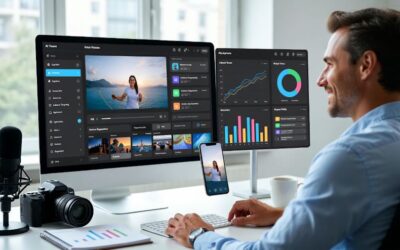
Consider DIY if you have time to plan, film, edit, and review a simple video. A phone, good lighting, clear sound, and a focused script may be enough to start. Allow time to learn your tools and create versions that fit your chosen placements.
Consider professional help if you need custom animation, more involved filming, script support, or help coordinating a project. Before hiring, discuss the scope, timeline, revisions, deliverables, and rights to the finished video and its assets.
You can also combine the two approaches. For example, you might film your own product footage and hire an editor. Professional production does not guarantee sales or a return on your investment, so choose the support that fits your goals and resources.
Prepare Your Video for Viewers
- Keep the message focused: Give each scene a job. Remove details that distract from the main point.
- Review captions: Add captions for spoken content and check them for accuracy. Make on-screen text large enough to read on a phone.
- Check audio: Make speech clear and keep music from overpowering it. Review the video with and without sound.
- Confirm permissions: Obtain permission to feature people and check commercial-use rights for music, footage, images, and other assets.
- Test the next step: Make sure links, forms, and booking pages work before sharing the video.
Measure Results That Match Your Goal
Decide what to track before you publish. Views alone do not show whether a video generated customers or met your business goal.
- Awareness: Review reach, plays, and watch time or audience retention where available.
- Website visits: Track clicks to the relevant page, using campaign links or platform reporting where appropriate.
- Inquiries or sales: Track completed forms, booking requests, or purchases you can connect to the campaign. Explain any limits in how those actions are attributed.
Compare results with a useful starting point, such as a similar campaign or an earlier period. Platforms count views and other metrics differently, so check their definitions. If you have enough data to compare versions, test one change at a time, such as the opening or call to action.
Final Thoughts About Video Commercials
A video commercial gives you a chance to show what your business offers and guide interested viewers toward a next step. Start with one audience and one goal, choose a format that fits, and create a message you can support.
Then review the results and use what you learn to plan your next video. For a broader look at the role of video in your marketing, explore how video can support your brand.
Originally published March 7, 2019; republished April 15, 2024, to update content and video. Updated November 5, 2026, with a practical planning guide.
New Horizons 123 advertises a free animated video, usually 30 to 60 seconds long. Visit the offer page for current details and the form. Check availability, eligibility, and any terms there before applying.
Originally published on April 15, 2024; Republished on November 6, 2026, to update content.


As a Visual Digital Marketing Specialist for New Horizons 123, Julie works to grow small businesses, increasing their online visibility by leveraging the latest in internet and video technologies. She specializes in creative camera-less animated video production, custom images, content writing, and SlideShare presentations. Julie also manages content, blog management, email marketing, marketing automation, and social media for her clients.



Besides the time it takes to learn to use the tools yourself, there is also the cost of subscribing to them!
Also, you need very fast internet to upload videos efficiently. That is common in big cities and on the coasts in the U.S.
But if you live in rural America and have what we call “high speed here” which may only be 5 Mbps down and 1 up, uploading videos can take a really long time.
Hi Gail,
Yes, each tool does have a learning tool and, of course, a cost associated with it.
I have tried working with videos without fast Internet, and it is an issue. It takes way too long!