
Learn how to turn a blog post into a video with this practical workflow. Choose a post, shape its main ideas into a short script, create visuals, edit the video, and prepare it for YouTube.
Choose a Post Worth Reusing
Start with a post that still answers a real audience question, contains advice you can show visually, or has performed well. Update outdated facts before adapting it. Reusing content can help you get more from work you have already done, but the video should make sense on its own, not simply repeat the article word for word.
Turn Blog Post Into Video: Build a Short Script
Choose one main takeaway for the video. Build a simple outline around it: open with the audience’s problem, explain a few useful points, then end with one clear next step. A video does not need to cover every detail in the article.
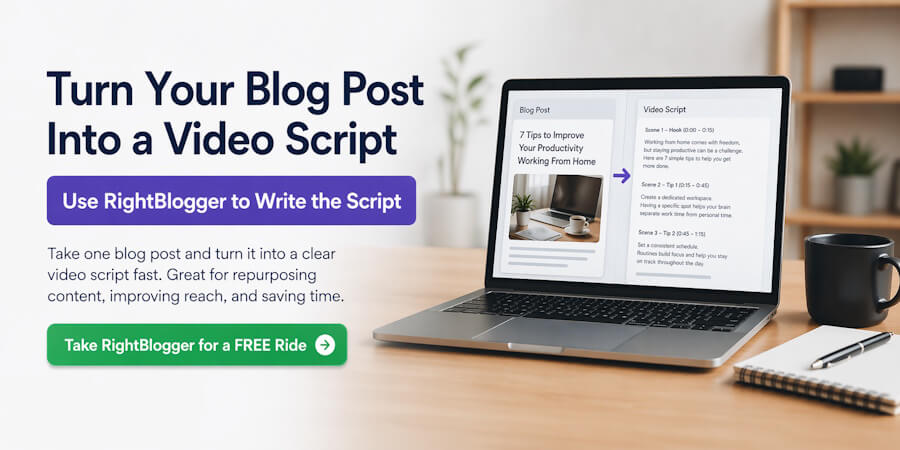
You can use RightBlogger’s Blog Post to YouTube Video Script tool to create a starting draft. Check the script against the original post, update any old facts, and rewrite it so it sounds natural when read aloud. Keep the wording clear and trim any lines that feel repetitive.
Read the script aloud before recording or building the video. This helps you catch awkward phrasing and check that the pacing feels right.
How to Use AI to Turn a Blog Post Into a Video
AI can help you shape a script, plan scenes, and prepare production materials. Treat its output as a draft, then use your own judgment to keep the video accurate and true to your voice. This AI workflow for content creators offers more guidance on using AI without handing over editorial decisions.
1. Give AI a clear brief
Provide the updated blog post, the intended audience, the video platform, the goal, the target length, and the tone. Ask for a short outline first, so you can approve the main takeaway before drafting a script. Tell the tool to use only the information you provide and to flag details it cannot confirm.
2. Turn the approved outline into a spoken script
Ask for a strong opening, a few useful points, and one clear next step. A video does not need to include every detail from the article. Read the draft aloud, remove repetitive lines, and add examples or explanations that reflect your own experience. Keep the final wording natural for speech.
3. Plan scenes that support the message
Ask AI to suggest a visual for each script section, along with any brief on-screen text. Use visuals to explain or reinforce the narration, not just to decorate it. For more ideas on planning AI-assisted storyboards and visuals, see this guide to AI visual storytelling. Check generated images and scenes for accuracy, brand fit, and permission before using them.
4. Use AI for production support, then review the work
Depending on your tools, AI may help draft captions, organize clips, or suggest edits. Check every result yourself. Confirm that captions match the audio, names and product details are correct, and visuals do not suggest an event, customer result, or product feature that is not real. This guide explains how to fact-check AI content before publishing.
5. Check the finished video before publishing
Watch the exported video from beginning to end. Check the narration, music, captions, scene order, and links. Make sure you have permission to use the images, footage, music, and voices. For a final review of editing, audio, captions, and exports, use this video post-production checklist.
A prompt you can adapt
Turn the blog post below into a [length]-minute video script for [platform] and [audience]. The goal is to help viewers [goal]. First, give me the main takeaway and a short outline, then wait for my approval. After approval, draft a natural spoken script with scene-by-scene visual suggestions. Keep my tone [tone]. Use only facts from the post. Do not invent statistics, quotes, examples, or claims. Mark details I need to verify with [VERIFY]. End with this next step: [call to action]. Blog post: [paste the updated post].
Use the result as a starting point, not a finished video. Check the script and every asset before you move on to editing.
Plan the Visuals
Choose visuals that help explain each point in the script. You might use photos, short video clips, simple graphics, or screen recordings. Keep on-screen text brief so viewers can follow the idea without reading a full paragraph.
For my own videos, I create or compare images for key scenes, animate the images I choose, then arrange the clips in the order of the script. Keep a clear version of the script nearby so you can match each visual to the right section.
Use images and music that you have permission to use, and keep the visual style consistent from one scene to the next.
Build and Edit the Video
Put the visuals in the same order as the script. I animate the images I choose, then assemble and trim the clips in Clipchamp. You can use another editor if it fits your workflow. Keep each scene focused on one idea, and use transitions only when they help the video flow.
Next, add captions and music. I use Pictory to add captions and music, then watch the full video to check that the captions are accurate, the audio is easy to hear, and the visuals match the narration. Use music and other assets only when you have permission to use them.
Prepare the YouTube Details
Before publishing, write a clear title and description that match the video. Add relevant tags, choose a useful thumbnail, and check that any links in the description work. RightBlogger’s YouTube Video Description tool and YouTube Tag Generator can help you draft these details. Review the suggestions before publishing.
Publish and Share the Video
Upload the finished video to YouTube, then review it on desktop and mobile. Check the title, description, thumbnail, captions, and links before sharing it with your audience.
You can also add the video to the updated blog post so readers can choose whether to read or watch. Keep the article and video aligned, and update either one if the advice changes.
Final Thoughts About Turning Blog Post Into Video
When you turn a blog post into a video, focus on reshaping the article for viewers, not reading it aloud. Choose one clear takeaway, write a short script, and match each point with a visual. Use AI to help with ideas and production, then check the facts, keep your voice, and review every image, caption, and edit before publishing.
Start with a post that already helps your readers. Turn its strongest idea into a useful video, add a clear title and description, and share it with your audience. One finished video gives you a practical starting point for improving your workflow and adapting more of your content.
Turn a blog post into a video to reach people who prefer to watch rather than read. Adapt the post’s main ideas for video, then share it with your audience.
If you want help bringing your brand story to life through video, learn about our video services.
Turn a blog post into a video to reach people who prefer to watch rather than read. Adapt the post’s main ideas for video, then share it with your audience.
If you want help bringing your brand story to life through video, learn about our video services.

Originally published on December 16, 2021; Updated on October 29, 2026, to update content.

As a Visual Digital Marketing Specialist for New Horizons 123, Julie works to grow small businesses, increasing their online visibility by leveraging the latest in internet and video technologies. She specializes in creative camera-less animated video production, custom images, content writing, and SlideShare presentations. Julie also manages content, blog management, email marketing, marketing automation, and social media for her clients.


0 Comments