
Video content SEO can help a page rank better for a simple reason. It often makes the page easier to use, easier to trust, and easier to stay on.
That matters when you want stronger SEO without having to film yourself. AI-made explainer videos, animated summaries, and short visual clips can answer questions fast. Some people read first. Others want the quick visual version.
This post focuses on AI-generated video content, not live recording. For content creators, brands, and marketers, the upside is clear: better user engagement, clearer messaging, and more ways to support the same topic on the page.
When video fits the page and shares useful information, search engines have more context to work with. That is where the real gain starts.
Key Takeaways
Boost User Engagement
Adding video to your pages helps keep visitors on-site longer, providing stronger engagement signals that suggest value to search engines.
Clarify Complex Topics
Use AI-generated video as a second layer of explanation, making it easier for users to digest information and increasing the likelihood of conversions.
Streamline Content Production
Leverage AI tools to repurpose existing articles, FAQs, and product copy into visual formats without expensive filming, ensuring consistent branding and regular publishing.
Optimize for Discovery
Maximize the impact of your video by using descriptive metadata, providing transcripts and captions for accessibility, and implementing structured data to help search engines index your content effectively.
How Video Content SEO Helps Search Engines Notice Your Pages
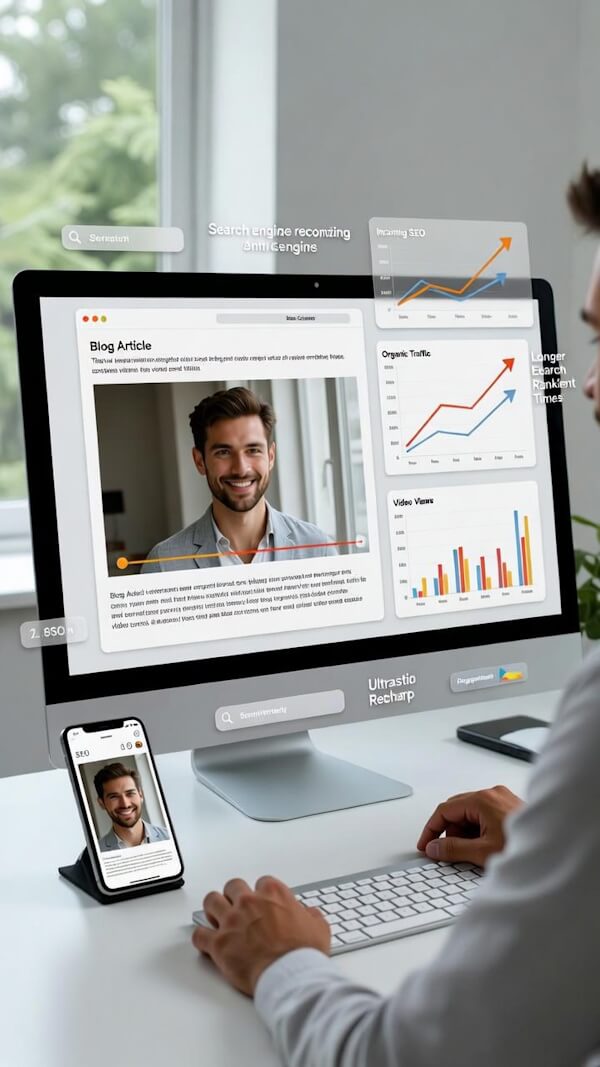
Search engines consistently ask a fundamental question: did this page provide value to the person who clicked it? Video helps provide a definitive yes. It gives visitors a dynamic way to absorb information, boosting user engagement and significantly improving the quality of the page experience.
Longer Time On Page Can Signal Value
When a page features a helpful video, visitors tend to stick around longer. A short AI summary at the top of a blog post can effectively increase dwell time by keeping users focused. A product page video can answer common questions before a visitor feels the need to leave to compare options elsewhere.
Because high-quality content often attracts organic external backlinks, offering a superior visual experience makes your page a more valuable resource for others to cite.
That does not mean video flips a magic ranking switch. Search rankings result from many different factors. Still, stronger engagement signals help a page appear more useful to search engines over time. A clear look at why video SEO is on the rise makes the same point: good video often lifts attention first, then supports long-term visibility.
Video Can Make Content Easier To Understand
Some topics are much easier to show than to explain in a wall of text. A 45-second AI video can break a process into simple steps, highlight the right details, and resolve confusion immediately. When you successfully match the video intent of your audience with your written copy, you increase the likelihood of improving your click-through rate from search results.
That matters on landing pages, service pages, and long blog posts. When readers quickly understand what you do, what you sell, or how something works, they are more likely to keep reading, click deeper into your site, or convert.
Think of video as a second layer of explanation. The page still needs strong copy, but the video makes the entire experience feel more accessible and engaging.
Why AI Video Content Works Well For Modern SEO
AI video works well because it removes the hardest part for many businesses: recording. You do not need a camera setup, a filming day, or a polished on-screen presence. Instead, you need a solid script based on thorough keyword research, a clear point, and visuals that align with your page’s intent.
You Can Publish More Content Without Starting From Scratch
If you already have blog posts, product copy, FAQs, or email content, you already have raw material. One strong article can become a short AI explainer, a page summary video, and a few social clips that support the same topic. By embedding videos that align with your original content, you provide multiple ways for users to consume information.
This steady flow is vital. Search performance usually improves when you publish useful content on a regular basis, especially when your strategy relies on keyword research to build content clusters.
Video content SEO becomes much more manageable when your written and visual assets originate from the same message. You are not inventing a new campaign every time; you are simply extending one good idea into multiple formats.
AI Video Helps Keep Branding Consistent
Consistency is not flashy, but it works. When your videos use the same tone, pacing, colors, and visual style, your brand feels easier to remember.
That helps users trust what they are seeing. It also keeps pages cleaner. If every service page has a short AI-generated explainer with the same look and voice, the site feels planned rather than patched together.
Successful Video Content SEO is much easier to maintain when you use professional hosting platforms that allow for brand customization.
By hosting your assets on reliable hosting platforms, you ensure that embedding videos across your site remains seamless and professional.
If you already publish solid written content, a guide to blog-to-video SEO can help you turn it into a searchable video without having to start over.
Simple Ways to Master Metadata Optimization
A helpful video can still be ignored if the surrounding page is vague. Search engines and users alike need clear, accessible signals. The goal is not to stuff keywords into every field, but to make the topic obvious through your title, description, transcript, and surrounding copy.
Match Titles, Descriptions, and Thumbnails to User Intent
Write titles that tell users exactly what they will get. “How AI video helps product pages convert” is far more effective than “Watch this now.” Your description should reiterate this value in a few clean, concise sentences.
Beyond text, thumbnail optimization is essential for attracting clicks. A custom, high-quality image that clearly represents your content acts as the hook that draws the audience in.
Furthermore, keep the file name descriptive. Using “ai-product-demo-video.mp4” is much clearer than “final-v2.mp4.” These small steps in metadata optimization help keep your site organized while giving search engines the clear labels they need to index your content effectively.
Add Closed Captions and Video Transcripts for Accessibility
Closed captions are vital for viewers who prefer to watch without sound, while video transcripts help search engines crawl the spoken content and connect it to the rest of the page. Providing accurate video transcripts ensures that your content is fully indexable and accessible to a wider audience.
A video should not hide the message. It should make the message easier to reach.
If your content includes narration, provide a text version on the page. Always edit your closed captions to ensure they are free of errors. The closer your text matches the actual spoken audio, the more relevant the page becomes to search queries. For a practical accessibility workflow, see this guide to creating marketing videos with captions and audio descriptions.
Place Video Beside Supporting Text and Use Structured Data
Video performs best when it is placed directly beside related text rather than sitting alone. Position your video next to the paragraph it explains, the product section it supports, or the FAQ it answers.
By integrating structured data, such as VideoObject schema, you provide search engines with the technical context needed to display your content as rich snippets in the search results.
To improve user navigation, consider adding timestamps to your video description. These timestamps allow Google to display key moments directly in the search results, making it easier for users to jump to the exact information they need. If you want a deeper pass on metadata, placement, and page context, these video SEO best practices are a solid next step.
Where To Use Video Content Across Your Website
Not every page needs the same kind of video. A blog post may need explanation, a service page may need reassurance, and a product page may need a quick visual answer to clarify what a product does. The point is to support the page rather than steal attention from it.
Blog Posts And Educational Pages
Educational content is a natural fit for video. A short AI video can summarize a long article, walk through a process, or show an example that would take five paragraphs to explain.
This makes long-form content easier to follow, especially for readers who scan first and read later. Furthermore, creating these videos can improve accessibility for users who prefer visual or auditory learning over text. If you choose to host these videos on external platforms, applying consistent YouTube SEO strategies can help drive additional traffic back to your site.
Homepages and FAQ sections can use the same approach. A short welcome explainer on the homepage sets expectations quickly, while an FAQ video can answer repeat questions without forcing visitors to dig through walls of text.
Landing Pages And Service Pages
On pages built to drive action, shorter is almost always better. A 30- to 60-second AI video can explain the offer, address a common objection, and build trust before the reader reaches the call to action.
Product pages work in the same way. By showing the result and explaining the fit, you keep the visual content tightly tied to the copy on the page.
Strategic placement of these videos can also improve video indexing, as search engines gain more context about your content from the structured data and metadata associated with your clips. Even large publishers now treat video as a core component of search visibility, and the AP’s look at video and online visibility shows how broad that shift has become.
How To Measure Whether Video Is Helping Your SEO
Do not guess. Check the page data after the video goes live. Start with engagement metrics, because they usually move before rankings do. When possible, compare the page to an earlier version or to a similar page without video.
Watch Engagement Metrics First
Look at time on page, scroll depth, bounce rate, clicks to the next step, and conversions. Pay close attention to your watch time, as this is a key indicator of whether your content effectively holds visitor interest. If the video is doing its job, people should stay longer, move farther down the page, or take more of the actions you want.
Google Analytics 4 and Google Search Console can help you watch those changes over time. You should specifically monitor your Search Console reports to confirm your video indexing status and ensure Google is successfully processing your media. Do not expect overnight results. SEO moves slowly, and video is one part of a bigger system.
Test Different Formats And Placements
A shorter video may work better on a service page. A longer walkthrough may fit a blog post. Placement matters too. Try one version near the top of the page and another lower down where the reader has more context.
Then compare results. If one format keeps people engaged and another gets ignored, the answer is on the page. Good video content SEO is not static. It gets better when you test, trim, and improve it.
Common Video SEO Mistakes To Avoid
The first mistake is treating video like a magic add-on. If the surrounding copy is thin, off-topic, or rushed, the video will not save the page. Search engines still need strong text, a clear topic, and a reason to rank the content.
Load time is another problem. Heavy files can negatively impact your Page Load Speed, which discourages visitors and frustrates search engine crawlers.
Poor Mobile Optimization is also a major risk, as awkward video placement or videos that push primary content off the screen can cause mobile users to leave. Since the majority of search traffic occurs on smartphones, your video layout must be seamless on smaller screens.
Titles can go wrong too. Overstuffed titles look spammy, while vague titles fail to explain the video content. Missing captions, weak descriptions, and a video that does not match the page topic create mixed signals for search engines.
Furthermore, many webmasters ignore essential technical requirements, such as creating Video Sitemaps, which are necessary for search engines to discover and index your media files properly. Keep your strategy focused; if the video does not help the visitor understand the page faster, it does not belong there.
Video Content SEO FAQs
Does Every Page Need A Video?
No. Add a video where it clears up confusion, answers a question, or supports the action on the page. If the page is already simple and direct, a video may not add much. When you do include a video, remember that thumbnail optimization is essential for driving clicks and ensuring your content stands out to visitors.
Are AI-Generated Videos Fine For SEO?
Yes, if they are useful, relevant, and supported by clear text on the page. Search systems care more about quality, clarity, and context than about how the visuals were produced. Furthermore, efficient video indexing occurs regardless of whether the content is AI-made or live-action, provided you have included the necessary metadata for search engines to crawl.
Should The Video Go At The Top Of The Page?
Sometimes, but not always. A quick summary video can work near the top. A more detailed explainer often works better after a short section of copy that sets the context.
Do Captions Matter If I Already Have A Transcript?
Yes. Captions help viewers inside the player. A transcript helps the full page carry more searchable context. When you can use both, use both.
Final Thoughts About Video Content SEO
Video can help search performance, but the real win is simpler than that. It helps people understand the page, trust it sooner, and stay with it longer.
The page still has to be clear, useful, and aligned. Video is the helper, not the whole strategy.
That is why AI video works so well for content creators, brands, and marketers who do not want to record footage. When the video matches the page, adds useful context, and fits into a repeatable workflow, video content SEO stops feeling complicated. It becomes a smart layer atop good content, effectively bridging the gap between engaging multimedia and your overall site authority.
Originally published December 16, 2021; Republished July 17, 2026, to update content and add video.

As a Visual Digital Marketing Specialist for New Horizons 123, Julie works to grow small businesses, increasing their online visibility by leveraging the latest in internet and video technologies. She specializes in creative camera-less animated video production, custom images, content writing, and SlideShare presentations. Julie also manages content, blog management, email marketing, marketing automation, and social media for her clients.



0 Comments