
To get found in AI search, you have to think beyond old-school blue links. People now type or speak full questions, then get a clean, direct AI answer that pulls in text, sources, and visuals from across the web.
Google AI Overviews, Bing Copilot, Perplexity, and similar tools are doing most of the work for your audience.
If you want your brand and content to show up there, strong writing alone is not enough. You need AI-ready visuals that increase your chances of appearing in AI answer boxes, boost brand recognition, and actually earn the click.
The best part is, you do not need to be a designer or a developer. With simple planning, clear labels, and smart prompts, AI-generated images and thumbnails can help increase visibility, drive clicks, and build trust within these new AI search experiences.
What Is AI Search and Why It Changes How You Get Found

Photo by Matheus Bertelli
Traditional search gives you a list of links and leaves the user to sort things out. AI search acts more like a smart assistant. It reads many pages, picks what it thinks is most helpful, then writes clear, concise answers, often with visuals right beside it.
Tools like Google AI Overviews and Bing Copilot, powered by Large Language Models (LLMs), bundle links, images, and explanations into a single view.
Reports show that AI Overviews already appear in a large share of Google searches, meaning this experience is no longer a side feature.
If you want to understand the bigger shift, this guide to AI-powered search engines gives a solid overview of how they work. If you want to go deeper on strategy, check out how AI search changes SEO on New Horizons 123 in this guide on how to optimize for AI-driven search results.
How tools like Google AI Overviews and Perplexity work
At a simple level, these tools scan many web pages at once, parsing content for patterns, facts, and clear explanations, then summarize them in plain language. Google AI Overviews, Bing Copilot, and Perplexity all work in a similar way. They:
- Read lots of sources.
- Pull out key points.
- Write a short answer.
- Show a few source links and, often, a small set of visuals.
Only a tiny slice of pages and images gets featured in that final answer. That is why it matters how clearly your content explains a topic and how helpful your visuals are. You are not just fighting for position one; you are fighting for “included in the answer at all.”
How is this different from Traditional SEO and blue links?
Traditional SEO was about ranking a single page for a single keyword. Now, you want your content to be trusted enough for brand mentions/citations or shown inside the AI’s answer.
This shift is why marketers are talking about Answer Engine Optimization (AEO). You still care about keywords and structure with Answer Engine Optimization (AEO). Still, now you also care about how quotable your content is and how well your visuals support the main idea.
If your image clearly matches a question, such as “how AI visuals help brands stand out,” it has a higher chance of riding along with that AI answer. For more context on this shift, this breakdown on getting your brand found in AI search is worth a read.
How AI Models Read, Rank, and Surface Your Visuals
AI is not “looking” at your image in a human way, but it is doing more than you might think. For a deeper look at how visuals support engagement, it helps to understand the basics of visual storytelling techniques for marketers. That same story power is what makes an image attractive to AI systems.
How AI “sees” your images and thumbnails
Modern AI uses computer vision and page context, enhanced by structured data and schema markup, to determine what your image depicts. It can detect:
- Objects and scenes, like “laptop on desk with charts”
- Text inside the image
- Logos or branding elements
- Emotions on faces
Then it combines that with signals around the image, such as:
- File name
- Alt text
- Caption
- Heading and paragraph near the image
Proper visual labeling using these signals is a key part of Technical SEO, and adding schema markup alongside structured data strengthens relevance signals.
AI-generated visuals are treated like any other image. If your alt text says, “AI search dashboard illustrating content performance”, and the heading talks about AI search analytics, models have strong clues about when that image fits a query.
Guides on optimizing images for visual and AI search results show how powerful these simple signals are.
Where visuals actually show up in AI search experiences
Your visuals can appear in several places and enhanced SERP features like featured snippets, for example:
- Image strips inside Google AI Overviews results
- Rich cards next to Bing Copilot answers
- Visual previews alongside Perplexity responses
When your thumbnail or diagram sits next to the AI-written answer, as determined by AI search algorithms, your brand gets prime real estate for AI search visibility, even if the user does not scroll. That can:
- Make your answer easier to scan
- Build brand visibility over time
- Nudge users to click your result instead of another
Strong visual storytelling plus Technical SEO clarity is the combo that helps your images get picked.
How To Create AI Visuals That Get Found in AI Search
Start with intent: match each AI visual to a clear question
Before you open Midjourney or ImageFX start with user intent by matching each AI visual to a clear question a user might type. For example, in Q&A format:
- “How to repurpose a YouTube video”
- “Best visual content for small businesses”
- “How to get found in AI search”
Your visual should make that answer easier to understand. A simple flowchart, a step layout, or a clean comparison graphic that supports content structure works far better than a random “futuristic robot” image.

Ask yourself: if the AI showed this image next to a short answer, would it help the user get the point faster?
Prompting AI tools to generate on-brand, useful images
When you prompt an image model, include:
- Brand colors and general mood
- Target audience, such as “small business owners”
- Style, like “flat illustration” or “photo style”
- The exact concept, such as “step-by-step funnel for AI search traffic”
You can create a series of related visuals for a single blog post, such as a hero image, a process graphic, and a simple chart. That series tells a mini story the same way a short video would.
If you want help mixing AI tools into your content work without losing your voice, this guide on AI tools to accelerate content production is a helpful starting point.
Labeling visuals for AI: alt text, captions, and metadata that work
Think of labels as subtitles for both humans and machines.
- Alt text: Short, clear, and honest. “Diagram showing steps to get found in AI search using labeled visuals.”
- Caption: One line tying the image to the main idea. “This simple funnel shows how AI search pulls your content into its answers.”
- File name: Use plain words, like ai-search-visual-funnel.png, not IMG_9483.png.
- Schema markup: Add structured markup to images for enhanced AI recognition.
Skip keyword stuffing. If your description sounds weird when spoken aloud, rewrite it. AI models now reward natural language, a point that Google also stresses in its guidance on succeeding in AI Search.
I realized long ago, before AI started taking over, that I was more successful finding what I was looking for in search when I literally typed in the question as if I were speaking. This is in comparison to using fancy words to try to find what I was looking for. So, in this sense, nothing has changed, and it does make sense.
Using context on the page to boost visual discoverability
AI considers the full-page context and structured data, not just the image. Help it by placing visuals near:
- Clear headings that match real questions
- Short step lists or checklists
- Key definitions or “what is” sections
Pair each AI-generated visual with a concise explanation in the text for content optimization.
For example, put a graphic of a content funnel next to a paragraph that explains how users move from an AI answer, to click, to conversion.

That strong link between copy and image tells AI search systems, “These belong together.”
Ethical, Legal, and Workflow Tips for AI Visuals in AI Search
Disclosing AI-generated visuals, copyright, and bias
AI images are fast, but you still must protect your brand’s Authority and Trustworthiness.
Be open when an image is AI-generated, especially in thought leadership pieces or product pages. A small note like “image created with AI” is often enough; it helps build trust, bolsters E-E-A-T, and enhances Authority and Trustworthiness.
This practice supports Generative Engine Optimization (GEO) by effectively managing the disclosure of AI content and visuals while safeguarding your reputation through proper brand mentions/citations. Avoid prompts that mimic trademarked characters, logos, or real people who did not agree to be featured.
Also, check for bias to maintain E-E-A-T. If every “CEO” your prompts produce looks the same, adjust your prompt to include diversity that matches your audience.
For more on how platforms think about AI answers, the Microsoft team shares useful tips on optimizing content for inclusion in AI search answers.
Simple workflows and tools to keep visuals AI-search ready
You do not need a complex workflow. Try this simple loop for content optimization:
- Brainstorm the questions your audience actually types.
- Outline content that answers those questions in plain language.
- Generate 1 to 3 AI visuals using AI models that support the key steps or definitions.
- Edit them lightly in a simple tool for text, color, and size.
- Add strong alt text, captions, and file names.
- Publish in a well-structured article or landing page.
Keep a shared checklist for your team so every post follows the same pattern. As multimodal search grows, where text, images, and video mix in a single result, you will already have a library of clear, labeled visuals ready to plug in.
Smart FAQs About Getting Found In AI Search
How is AI search different from traditional Google search?
AI search tools, like ChatGPT, Perplexity, and Gemini, give direct answers, not just a list of links. They pull information from many sources, then summarize it in plain language. Sometimes they cite websites, sometimes they do not.
For you as a marketer or creator, the key shift is this: you are not just trying to rank, you are trying to become the source AI trusts enough to quote or reference.
That means clear, accurate, well-structured content beats fluffy, vague posts every time.
What makes content “AI-search friendly”?
AI tools look for content that is easy to understand, easy to extract, and easy to trust. Your content is more AI-search friendly when it:
- Answers specific questions in plain language
- Uses clear headings, short paragraphs, and logical structure
- Mentions clear entities (names, brands, tools, locations, topics)
- Backs claims with data, examples, or credible sources
- Shows real experience, not just theory
If a bot can scan your page and quickly see what question you answer, who you are, and how you know what you are talking about, you are on the right track.
How can I optimize my content to show up in AI answers?
Think like an AI model that is scanning your page in a hurry. Make the important stuff easy to grab. A few simple moves:
- Use question-based headings: Turn key questions into H2 or H3 headers, then answer right under them.
- Front-load the answer: Give the clear answer in the first sentence or two, then add detail.
- Use examples: AI tools like concrete, specific information, not vague advice.
- Refresh old content: Update stats, fix broken links, and add clearer explanations.
Example: Instead of a long intro about “the power of content,” start with something like, “To get found in AI search, you need clear, structured content that answers real user questions.”
Do I still need SEO if AI search is taking over?
Yes. SEO is not dead, it just looks different on top. AI search still leans on strong SEO fundamentals:
- Clear topics and focus
- Helpful headings and internal links
- Fast, mobile-friendly pages
- Authority, trust, and real expertise
Think of SEO as the foundation, and AI search as an extra layer. If your site is a mess, AI tools have less reason to trust or surface your content.
How important is E‑E‑A‑T for AI search?
Very important. E‑E‑A‑T stands for Experience, Expertise, Authoritativeness, and Trustworthiness. Both search engines and AI models use signals that map closely to this idea.
You build E‑E‑A‑T when you:
- Show real-world experience, not just theory
- Share your name, role, and background on your site
- Get mentioned or linked by other credible sites
- Use clear disclosures and avoid shady tactics
For example, “10 AI content tips from a marketer who tested 50 tools on 100 videos” screams experience. That is more attractive to AI systems than a shallow listicle with no proof.
Does structured data or schema help with AI search?
Yes, structured data can help AI understand your content faster and more accurately. Schema markup can clarify:
- Who you are (Organization, Person)
- What the page is about (Article, FAQPage, HowTo, Product)
- Key details like ratings, steps, or FAQs
This helps both search engines and AI tools identify you as a relevant and organized source, which increases your chances of being pulled into summaries, answer boxes, and citations.
How can small brands compete with big sites in AI search?
You will rarely beat a giant brand on broad keywords, but you can do very well with specific, high-intent topics. Focus on what you know best.
Good angles for smaller brands:
- Niche, long-tail questions your real customers ask
- Local or industry-specific examples
- Step-by-step how-tos with screenshots or videos
- Honest comparisons and tool roundups based on your own use
AI tools like detailed, practical content that solves a focused problem. You can win there even if you are not a household name.
Should I change how I create content for AI search?
You do not need to throw out your entire content strategy, but you should adjust how you write and structure your content. Smart tweaks include:
- Plan content around user questions, not just keywords.
- Write with skimmers in mind. Short sections, clear headings, direct answers.
- Mix formats: text, images, and video. AI tools often prefer rich pages.
- Use AI assistance to brainstorm outlines or FAQs, then add your voice and experience.
The goal is simple: you want both humans and AI to understand your content in seconds.
How do I know if my content is showing up in AI search?
Tracking AI visibility is still a bit messy, but you can watch a few signals:
- Look for brand mentions in AI tools by asking, for example, “What is [your brand]?”
- Watch referral traffic from AI-driven tools if available in your analytics.
- Track whether more people arrive on deep, answer-focused pages, not just your homepage.
- Listen to prospects who say, “I saw you mentioned in a tool” or “I found you through AI.”
You will not see perfect reporting yet, but you can spot trends and double down on what works.
Where should I start if I feel behind on AI search?
Start small and practical. You do not need a complete overhaul. Try this simple sequence:
- Pick 5 to 10 of your best-performing or most important pages.
- Turn key questions on those topics into clear headings with direct answers under them.
- Tighten intros, cut fluff, and add one or two strong examples.
- Add or fix basic schema on those pages if you can.
Then give it a few weeks and check performance. If you see better rankings, more engagement, or longer time on page, apply the same process to more content.
Final Thoughts About Getting Found in AI Search
AI search is not your enemy. It is just a new layer that impacts your AI search visibility, deciding which brands show up first, and AI visuals are a big part of that decision.
As multimodal search grows, mobile optimization ensures your visuals appear sharp on smaller screens. When your images are intentional, well-labeled, and closely tied to real questions, they help you maximize Search results page visibility rather than getting lost in the noise.
You do not need fancy design chops to start. Instead, you need curiosity about your audience, simple prompts, and explicit language with conversational terms that both humans and AI can understand.
Pick one blog post or landing page today, look at its visuals, and update one image, its alt text, and the nearby copy with AI search in mind. That minor upgrade is how you turn random pictures into hard-working assets that support your brand’s authority and trustworthiness in every AI answer box.
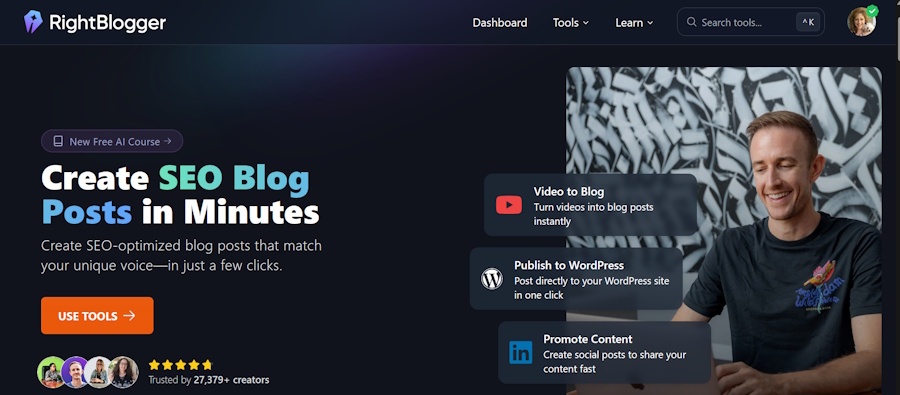
Looking for an AI content creation tool to help you navigate the ever-changing waters of digital marketing and search? I highly recommend RightBlogger AI.
Rightblogger offers one of the most comprehensive and robust AI Content Tools for marketers and bloggers, with over 80 different tools, including: Blogging tools, SEO tools, Social tools, Sales tools, Productivity tools, Image tools, and more. Take if for a free ride, no credit card required.

As a Visual Digital Marketing Specialist for New Horizons 123, Julie works to grow small businesses, increasing their online visibility by leveraging the latest in internet and video technologies. She specializes in creative camera-less animated video production, custom images, content writing, and SlideShare presentations. Julie also manages content, blog management, email marketing, marketing automation, and social media for her clients.


0 Comments