
Accessible marketing videos help more people understand and act on your message. A polished AI video can still lose viewers if they cannot hear it, read its text, or understand key visuals.
To make a marketing video accessible, use accurate captions, a descriptive transcript, readable high-contrast text, and audio description when visuals add information that is not spoken aloud. These steps help viewers who are deaf or hard of hearing, blind or have low vision, use screen readers, watch without sound, or speak English as an additional language.
Use the checklist below before you publish. It will help you create video content that is clear, inclusive, and easier for search engines to understand.
Key Takeaways
Accessibility is not a decorative extra you sprinkle on after exporting. Build it into the script, storyboard, AI voiceover, visual prompts, and final review.
Keep these rules close:
-
Add accurate captions that include dialogue and meaningful sound.
-
Describe visuals when they carry information the narration does not.
-
Provide a descriptive transcript for people who prefer reading or need extra context.
-
Check contrast, pacing, and on-screen text on a small screen.
-
Review every AI-generated caption and visual yourself. Robots are helpful. Robots are also weird sometimes.
Transcript: Accessible Marketing Videos Short
[Visual: A small Yorkshire terrier appears as the video’s “tiny video consultant.”]
Hi marketers, it’s me, your tiny video consultant. I may be small, but I notice when captions move too fast, text blends into the background, and visuals make zero sense without sound.
Want more people to enjoy your content? Start with accessible marketing videos. Add accurate captions. Keep the words short and easy to read. Include a transcript. Describe important visuals when the voiceover doesn’t explain them. Use strong color contrast. Slow down busy animations. Keep one clear message on screen at a time.
Then watch your video with the sound off. If the story still makes sense, you’re on the right track. Accessibility isn’t extra fluff. It helps more viewers follow, understand, and remember your message.
Video Accessibility Checklist Before You Publish
Use this checklist before you publish a marketing video on your website, YouTube, or social media.
- Captions are accurate, timed correctly, and include meaningful sounds.
- On-screen text is large enough to read on a phone.
- Text has enough contrast against its background.
- Important visuals are explained in the narration or through audio description.
- A descriptive transcript appears below the embedded video or on a linked page.
- Captions do not sit behind social media buttons or video player controls.
- The video still makes sense when watched with the sound off.
- The audio still explains the main point when the viewer cannot see the screen.
- Auto-generated captions have been reviewed by a person.
- Video thumbnails and supporting images have useful alt text.
Plan Accessible Marketing Videos Before You Generate
AI makes it easy to create a lot of video fast. Great. It also makes it easy to generate a pile of visuals that look impressive but tell viewers nothing useful. Start with the message, not the template.
A clear visual plan also helps you write stronger AI video prompts before you generate each scene
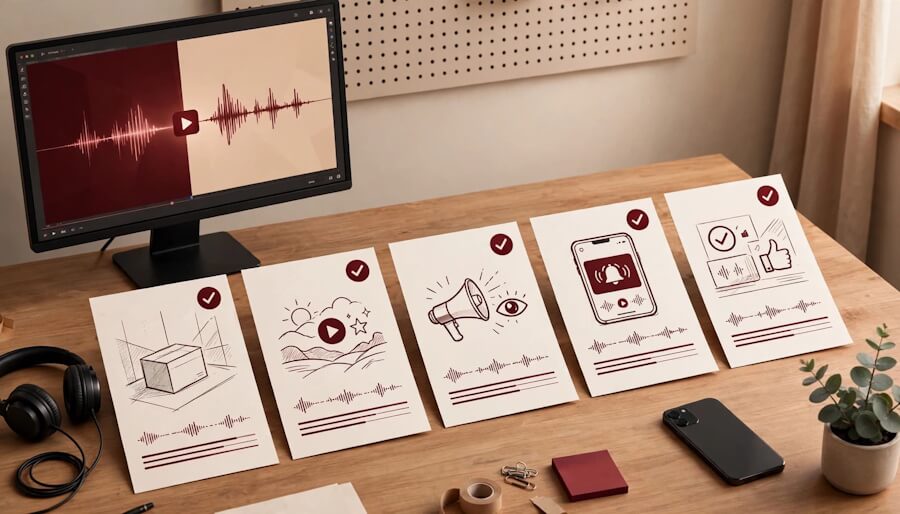
List The Visual Information That Matters
Read your script and mark every moment where the viewer needs to see something to understand the point. That could be a product feature, a chart trend, a person’s reaction, a before-and-after visual, or a key phrase on screen.
Now ask one blunt question: if someone heard only the audio, would they still get the message?
If not, plan audio descriptions or revise the narration to include the missing context. W3C’s guidance on audio description for prerecorded video makes the goal simple: describe meaningful actions, scene changes, text, and other visual information.
Build Accessibility Into The Script
Write in short, clean sentences. Give your AI voice space to breathe. Fast speech plus fast captions equals a tiny reading marathon nobody asked for. Use a simple structure and a steady pace from the start. This guide to writing a 60-second explainer video script can help you shape a clear message before you create the visuals.
A good script also creates natural pauses. Those pauses give you room for an audio description without crashing into your narration. When you are creating branded videos with AI, this early planning keeps every visual tied to a clear business message.
If a visual is only there to look pretty, it usually does not need an audio description. If it changes the meaning, describe it.
Create Captions People Can Actually Read
Captions are not a transcript dumped across the bottom of the screen. They are timed, readable context that moves with the video.
Captions, Transcripts, and Audio Description: What Is the Difference?
| Feature | What it does | Use it when |
|---|---|---|
| Captions | Show spoken words and meaningful sounds as timed text. | Your video includes dialogue, narration, music, or sound effects that affect the message. |
| Transcript | Provides a complete text version of the video, including important sounds and visuals. | You embed a video on a web page or want readers to review the content without playing it. |
| Audio description | Explains visual details that the main narration does not cover. | Important information appears only on screen, such as a chart, product step, alert, or action. |
WCAG 2.2 Success Criterion 1.2.2, Captions (Prerecorded), requires captions for prerecorded synchronized media with audio at Level A. When your platform supports them, use a separate closed-caption file instead of relying only on burned-in text.
Section 508 guidance for synchronized media is a useful plain-English reference for the basics. Accessibility requirements can vary by organization, industry, and jurisdiction, so seek qualified guidance when you need legal advice.
Caption Dialogue And Meaningful Sounds
Include spoken words, speaker changes when they matter, and sounds that affect the story. If a cheerful bell confirms an order, a door slams during a cautionary scene, or music shifts the mood, captions should communicate it.
Do not caption every tiny noise. Nobody needs “[fabric rustles ominously]” during a simple product demo. Include sounds that help viewers understand the action, tone, or result.
Keep each caption chunk short. Use punctuation. Break lines where people naturally pause, not in the middle of a name or phrase.
Treat Auto-Captions As A Draft
Most AI video tools can generate captions in seconds. Use that speed, then put on your editor hat and check every word. If you are choosing an editing tool for AI video projects, compare caption editing, timing controls, and text placement before you commit.
AI commonly mangles brand names, acronyms, and words with multiple meanings. “Lead” can become “led.” “SaaS” can become a complete mystery. A five-minute human review protects your brand reputation.
Add Audio Descriptions Without Wrecking The Flow
Audio description tells viewers what the visuals are doing when the regular audio does not. Think of it as the missing sentence a person needs to follow the full story. For many accessible marketing videos, this is where the real care shows up.
Describe Only What Supports the Message
Say what matters, not every pixel on screen. If your AI video shows a red warning icon beside a dashboard, describe the warning and the result. Don’t narrate the icon’s exact shape unless that shape matters.
A useful description might sound like this: “A red alert appears beside the missed-payment total.” Short. Clear. Useful.
The FCC explains what audio description is for: it provides key visual details during natural pauses in a program’s audio. The same principle works beautifully for AI explainers, product clips, animated stories, and blog-summary videos.
Use A Separate Track Or Rewrite The Narration for Accessible Marketing Videos
If your voiceover already explains the essential visual, you may not need extra audio description. For example, “The graph shows customer signups rising each month” covers the important point.
When it does not, you have two practical options. Add a separate described-audio track, or add the essential visual detail into the main narration. For short AI videos, rewriting the voiceover is often cleaner.
If you use synthetic narration, AI narration and audio descriptions can help you create versions faster. Keep the voice natural, steady, and easy to hear over music.
Publish Captions, Transcripts, And Video Versions
Video accessibility includes both visible, burned-in text and user-controlled caption files. Burned-in captions are useful for social clips because viewers see them immediately. They aren’t the whole accessibility plan.
Use them when they fit your format, then offer accessible files where your platform allows it.
Upload A Separate Caption File
A separate file for closed captions lets viewers turn captions on or off and select language options when available. It gives people more control over their viewing experience.
Match the caption file to the final export. One last edit can throw every line out of sync. Check after upload, not only inside the editing tool.
For social posts, keep captions large enough to read on a phone and away from buttons, profile labels, and lower-screen clutter. This matters especially in social media marketing, where platform controls can cover your text. Your brilliant call to action is useless if an icon eats half of it.
Include A Detailed Transcript in Accessible Marketing Videos
Video transcripts provide a full text alternative alongside your video. A descriptive transcript includes dialogue, meaningful sound cues, and descriptions of important visuals. This format can also help people using screen readers.
Post it below the embedded video, link to it on the page, or provide it as a downloadable document. Provide alternative text for the video thumbnail or poster image, along with surrounding graphics where applicable.
These options give viewers more control over their user experience and give search engines more context about your content. Video accessibility and search engine optimization strategies can help you connect transcripts, captions, and discoverability without turning your description into keyword soup.
Accessible Marketing Videos: Make The Visuals Easier To Follow
Accessibility also lives in your visual choices. Captions cannot rescue a video where text blends into the background or visuals change too quickly. The same rule applies to supporting graphics. Good visuals need clear context, not vague labels. See these tips for writing alt text for marketing graphics.
Use Contrast And Breathing Room
Use strong color contrast so text remains distinguishable from its background. Dark text on a light panel or light text on a dark panel usually works better than text over a busy AI-generated scene.
Use a solid or semi-opaque caption panel when needed. Keep text away from the edges. Give captions and on-screen graphics room to exist without fighting for attention.
Add alternative text to thumbnails, supporting graphics, and other non-video visual assets. This complements captions and descriptions, rather than replacing them.
Slow Down The Busy Bits
AI video templates love motion. Zooms, pop-ups, bouncing text, transitions, confetti, the whole tiny circus.
Use movement to support one clear point. Slower pacing and fewer competing animations can help viewers with cognitive impairments process the message. Keep each important visual on screen long enough for viewers to see it and read the captions. Clear language and moderate narration speed support inclusive marketing for everyone.
Run A Human Accessibility Check Before Publishing
No magical accessibility button catches every problem in a video. A manual review is a core accessibility best practice.
Watch It With The Sound Off
Can you understand the hook, message, and call to action using captions and visuals alone? Check for typos, rushed timing, hard-to-read text, and caption blocks hidden by platform controls.
Test the player controls with keyboard navigation. Confirm that a descriptive transcript is available when visuals carry essential information. Then listen without watching. Do you understand the core message? If an important visual goes unexplained, add description or revise the voiceover.
Ask For Feedback And Improve
Publish, listen, and adjust. Ask viewers whether your captions are readable, your narration is clear, and your descriptions make sense.
Include accessibility audits in your pre-publish checklist to document recurring issues. A documented review can support legal compliance processes, but it doesn’t replace applicable legal advice.
Feedback beats assumptions every time. A viewer may catch a confusing phrase or visual detail you thought was obvious because you made it. Catching those issues early helps protect your brand reputation. Creator brain is real.
Accessible Marketing Videos FAQs
Are Captions And Subtitles The Same Thing?
Not always. Subtitles often translate spoken dialogue into another language. Captions include dialogue plus meaningful sound cues, such as music, laughter, or a doorbell.
For accessibility, use captions that give viewers the information they would otherwise hear.
Do AI-Generated Videos Need Audio Descriptions?
They need audio descriptions when essential information appears only on screen. If your narration already explains important visual action, data, or text, you may not need extra description.
The test is simple: can someone understand the marketing message without seeing the video?
Can I Rely On My Video Tool's Auto-Captions?
Use auto-captions as your starting point, not your final product. Check the words, timing, names, punctuation, and sound labels before publishing. A caption with the wrong product name isn’t a small mistake. It’s a tiny conversion leak wearing a name tag.
What Should Video Transcripts Include?
A descriptive transcript includes every spoken line, useful speaker identification, meaningful sound cues, and visual information that affects the message. Keep it organized and easy to scan.
If your AI video is based on a blog post, turning blog posts into accessible video content gives you a strong head start because the core information is already in text form.
Accessible Marketing Videos Conclusion: Make Every Viewer Part Of The Conversation
The strongest accessible marketing videos are clear before anyone turns accessibility on. They make inclusive marketing part of video marketing with simple words, readable captions, purposeful visuals, and narration that keeps the full story connected.
Start with one upcoming AI video. Add reviewed captions, publish a useful transcript below the video, and check whether the visuals need description. Then test the finished video with the sound off and listen to the audio without watching the screen. Small fixes can make your message available to more people and give search engines more useful context.
Create More Accessible Video Content With RightBlogger
Accessible marketing videos start with clear planning and thoughtful messaging. RightBlogger helps you create the written pieces behind better videos, so you can spend less time staring at a blank screen and more time making content your audience can understand and enjoy.
- Generate simple, well-structured video scripts that are easier to follow.
- Create video outlines before filming, so your message stays organized.
- Turn key points into captions, social posts, blog content, and video descriptions.
- Use tools like the Grammar Fixer and Improve Writing tool to make your wording clearer.
- Get fresh YouTube video ideas, titles, hooks, and calls to action for your next campaign.
RightBlogger gives small businesses a practical way to plan stronger marketing videos and supporting content. Use it to write clear scripts, organize your ideas, and create content that supports a more accessible experience for every viewer. Try RightBlogger to make planning, creating, and sharing your next marketing video easier.


As a Visual Digital Marketing Specialist for New Horizons 123, Julie works to grow small businesses, increasing their online visibility by leveraging the latest in internet and video technologies. She specializes in creative camera-less animated video production, custom images, content writing, and SlideShare presentations. Julie also manages content, blog management, email marketing, marketing automation, and social media for her clients.




0 Comments