
Instagram carousel posts give complex services more room to breathe than a single social media graphic. They break down what you do, what customers get, and why it matters before people scroll away.
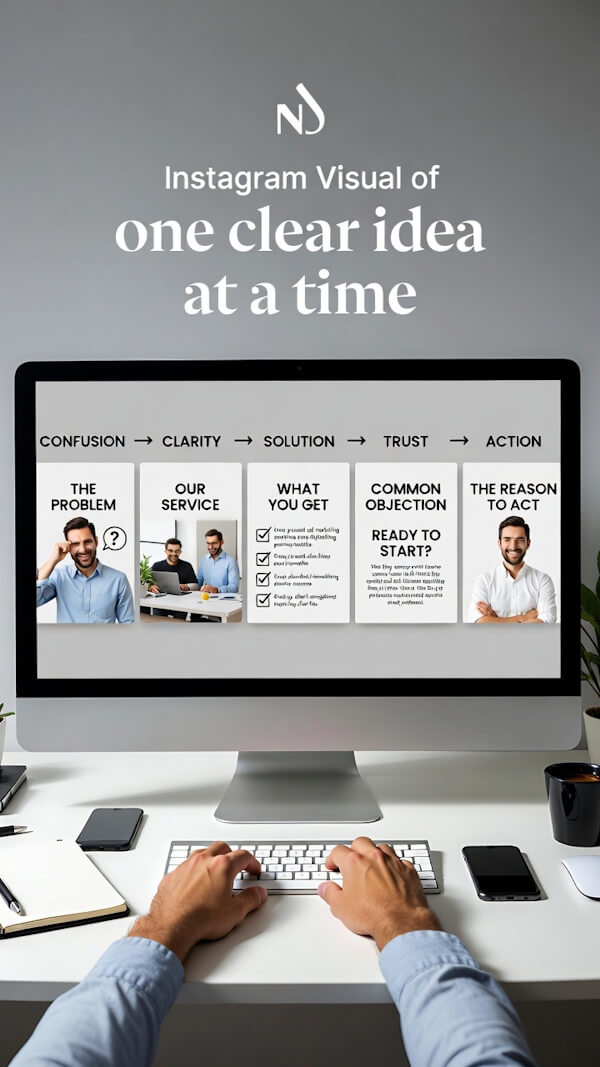
Each slide moves the story forward. One explains the problem. Another shows your service. The next answers a common objection. By the end, your audience has a clearer reason to keep paying attention.
Clean messaging and consistent design also strengthen your visual identity. No foggy claims. No random graphic confetti. Just one clear idea at a time.
Key Takeaways
- Map the offer before designing: define the audience, problem, method, result, and next step.
- Use a clear slide sequence that moves from a costly problem to the process, proof, objections, and one direct call to action.
- Keep the visual system consistent with one aspect ratio, readable type, clear spacing, and templates that support—not clone—the content.
- Turn testimonials into specific, permission-based proof, and mix still images with AI video only when motion adds clarity.
- Publish carefully, review the carousel on a phone, and track saves, shares, profile visits, DMs, follows, and engagement rate to improve future posts.
Why Instagram Carousel Posts Work For Complex Offers
A single-image post makes one point. An Instagram carousel explains a complex service through its problem, process, proof, and action. In sequence, an Instagram carousel moves from problem to action.
The swipe is a low-friction micro-commitment in social media feeds. Each useful slide gives people a reason to stay for the next one, but it is not a guaranteed conversion mechanism.
Benchmark numbers vary by audience, industry, and account size. Still, Hootsuite’s carousel benchmark roundup reported carousels outperforming single-image posts and Reels among the accounts in its cited data. Sprout Social’s benchmark methodology recommends comparing similar audiences, while Sprout Social’s engagement guidance supports comparing engagement rate across formats. That context matters, since carousels do not win every comparison.
That matters when you sell planning, content, design, consulting, AI-assisted visuals, or another service people can’t understand in one glance. A carousel supports brand storytelling and fits a broader content strategy. It is a guided explanation, not a pile of slides wearing the same font.
Map The Offer Before You Open Canva
Don’t start in Canva. Start with one sentence and a simple planning brief. Before planning an Instagram carousel, list the audience, the costly problem, the method, the desired result, and the next step. Then write:
“This offer helps [audience] solve [problem] through [method].”
If you can’t write that plainly, no layout will rescue it. Once the offer is clear, map the sequence in a notes document. Reviewing the slides together helps expose gaps before design begins. Use this nine-slide order for a complex service offer. These Instagram carousel posts should move from a felt problem to a clear next step:
- Open with the costly problem or outcome your audience wants.
- Name the real reason that problem keeps happening.
- Show the better result your service is built to create.
- Explain your method in three plain steps.
- Show the deliverables, touchpoints, or stages involved.
- Answer the first “but what about…” objection.
- Add a customer story or clear proof point.
- State who the offer fits best.
- Give one direct next step, such as sending a DM or visiting your link.
If your next step includes a product or tool you recommend, make that relationship clear. Our Instagram affiliate marketing guide explains how to use helpful content, clear disclosures, and smart link placement.
Build carousel posts as a repeatable sequence, not a one-off graphic.
For recurring slide types, create graphic templates and post templates. Carousel templates can speed up planning, but customize the problem, method, and proof. Set a visual identity with consistent type, color, spacing, and recurring elements.
A repeatable system should speed up planning without making every post look identical. Record the approved sequence in your workflow notes, and reference it in during team handoffs.
Your cover isn’t a title page. On social media, it needs to make a promise people understand in two seconds. An Instagram carousel cover must give people a reason to swipe. “Your marketing needs more strategy” is foggy. “Why your content looks busy but still gets ignored” gives people a reason to continue.
Keep your service details in the middle slides. Lead with the problem your buyer already feels, then show the process that fixes it. Use educational content for explainers, tutorials, and process-led slides. That structure makes your offer easier to follow and easier to remember.
A carousel should also fit into a wider visual content strategy guide, not become a random one-off post that vanishes into the feed.
Add the finished post to a visual content calendar with related explainers and follow-up posts. Review that calendar alongside the rest of your publishing workflow.
Choose one of these aspect ratios before you design, so carousel posts stay orderly across the sequence. Mixed shapes can cause awkward cropping, and awkward cropping is how good ideas get buried under a bad layout.
| Format | Recommended Size | Best Use |
|---|---|---|
| Portrait 4:5 | 1080 x 1350 px | Service explainers, tutorials, and proof |
| Square 1:1 | 1080 x 1080 px | Simple graphics and diagram-heavy posts |
| Landscape 1.91:1 | 1080 x 566 px | Wide visuals with limited copy |
For most Instagram carousel posts, 4:5 portrait gives you the most screen space among these aspect ratios. Upload every image and AI video in the same orientation, then check the image resolution and export settings before uploading. Instagram can crop the entire Instagram carousel to match the first asset, so choose the first slide carefully.
In Canva, build one 1080 x 1350 template, then duplicate the page. Use Canva templates, graphic templates, or post templates as starting points, but customize the copy and hierarchy.
Apply the same two typefaces, color family, and margin rules in Canva or other design tools to reinforce your visual identity. Your slides should look related, but they shouldn’t look cloned.
Want a connected-looking visual across several slides? Create one wide background image, then split it into equal panels. For a seamless carousel, use carousel templates to build a 6480 x 1350 background, then divide it at every 1080 pixels. Keep keywords, faces, and calls to action inside each panel.
People may land on slide two before they see slide one. Review the full Instagram carousel in Instagram’s preview or Sprout Social’s publishing preview before publishing.
A vague testimonial is nice. Specific social proof is better. Don’t use a customer quote as decoration on slide seven. In an Instagram carousel, place it on the proof slide to answer the question in your buyer’s head: “Did this help someone like me, in a real way?”
Ask customers what changed after working with you. When collecting customer testimonials, ask, “Can you give me an example?” That follow-up often reveals useful detail. Look for time saved, clearer messaging, more consistent content, stronger feedback, or less stress around an avoided task. If you review audience feedback with a tool such as Sprout Social, note the exact language customers use.
Clear, believable progress builds more trust than a giant claim that makes people squint.
Get permission before using written answers in a quote card, caption, voiceover script, or AI-assisted visual story. Keep the customer’s meaning intact. Don’t turn “I felt more confident posting” into a promise of massive revenue. In carousel posts, let that proof support the larger sequence.
If someone shares a measurable result, ask about the time period and other factors involved. A real customer story can be persuasive without pretending it is a guaranteed outcome for everyone.
Mix AI Video And Still Images Without A Mess
Instagram carousel posts can combine photos, graphics, and AI-generated videos. An Instagram carousel allows up to 20 total slides, and each asset should earn its place.
Use motion when it explains something better than a still image, and give mixed-media carousel posts a clear job for every asset. An AI video can clarify educational content or show a rough idea becoming a finished visual.
It can support product reveals, add energy to a key transition, and avoid the need for camera footage. An AI video generator can help produce the clip, but creative judgment still decides whether it belongs.
Build the sequence in your design tools, and keep every asset in compatible aspect ratios. Review the Instagram carousel on a phone before posting, including image resolution and pacing.
A fast AI clip can feel impressive in your editor but weirdly frantic in a feed. Use a seamless carousel only when motion benefits a continuous background or visual transition.
Make every video understandable with the sound off. Short on-screen copy, clear visual movement, and a strong first frame do most of the work in social media feeds.
For better pacing ideas, these short-form video strategies can help you review your video workflow and make each moving slide earn its spot. Use Sprout Social to coordinate publication, then review the scheduled post in Sprout Social.
Publish, Schedule, And Watch The Swipe Signals
A good carousel can still lose if the slides upload in the wrong order. Save your files in a numbered folder before scheduling. Use names like 01-cover, 02-problem, and 03-method. Boring? Yes. Also helpful when your phone decides to show assets out of order. Very helpful.
Follow this publishing workflow:
- Export every visual at the final size, then check for blurry type or cropped edges.
- Upload the slides in order through Instagram and review the Instagram carousel by swiping before publishing. If available, use Sprout Social’s preview for a second asset-order check.
- Schedule in the Instagram app through its advanced settings, or use Meta Business Suite for connected accounts. Sprout Social offers another scheduling option. Add dates to a visual content calendar, and test an optimal send time for your audience.
- If you use a third-party scheduler, confirm it supports mixed-media carousel posts and bulk scheduling. Some platforms hand the post back to mobile for final publishing.
Carousels have a useful advantage over single-image posts. Instagram has discussed giving an Instagram carousel another chance in the feed when someone did not engage the first time, sometimes showing a different slide first.
Frequently Asked Questions About Instagram Carousel Posts
How Many Slides Can An Instagram Carousel Have?
Carousel posts can include up to 20 images or videos. Use fewer when the message is simple. Add slides only when each one gives the viewer a reason to continue.
How Do I Create A Connected-Looking Carousel In Canva?
Use graphic templates or post templates for the visual style. Adapt carousel templates in Canva into one wide image, sized to your slide width multiplied by your slide count. Split it into equal panels, upload them in order, and keep important copy inside each panel, not across the cut lines.
Can I Combine Images And AI Videos In One Carousel?
Yes. Use AI-generated video clips beside still graphics, customer quotes, product visuals, and diagrams. Keep the format consistent, and don’t use motion unless it adds clarity.
Do Carousels Beat Static Posts Every Time?
No format wins every time. Strong single-image posts can outperform a weak carousel. Use a post performance report from Sprout Social to compare results against your audience and objectives. Look for useful swipes, saves, shares, and revisits.
Final Thoughts About Instagram Carousel Posts
Instagram carousel posts give complex services a clear, visual way to earn attention and build trust. Start with the problem your audience already feels, then guide them through your process, proof, and the result they want.
Keep every slide focused, easy to read, and connected to one simple next step. When your carousel teaches something useful instead of trying to say everything at once, it can turn casual scrolling into saves, shares, profile visits, and real conversations with potential clients.

As a Visual Digital Marketing Specialist for New Horizons 123, Julie works to grow small businesses, increasing their online visibility by leveraging the latest in internet and video technologies. She specializes in creative camera-less animated video production, custom images, content writing, and SlideShare presentations. Julie also manages content, blog management, email marketing, marketing automation, and social media for her clients.



0 Comments