
A flat listing in search results is easy to skip. A good Google Business Profile video directly boosts conversion rates by giving people one more reason to stop, look, and trust what they see.
A Google Business Profile video is a core component of modern Local SEO strategies, especially to engage users who find you in the local pack. That matters when someone is comparing three businesses in a hurry. They don’t want a pitch. They want proof. This guide keeps it practical and current, focusing on short, simple videos, including AI-made clips when they fit. No live video marketing. No big production talk.
Let’s get into what works, what Google allows right now, how to upload a video, and what can keep it from showing up.
Key Takeaways for Your Google Business Profile Video
- A Google Business Profile video builds trust fast with short, simple clips (15-30 seconds) that show real proof like products in use, clean spaces, or before-and-after results—tailored for storefront or service-area businesses.
- Follow strict specs: promotional videos up to 30 seconds/75 MB/720p+; verification needs continuous 30+ second mobile clips proving location, operation, and management.
- Upload via desktop or mobile profile manager, hook viewers in the first seconds with clear, branded value, and wait for Google’s review—AI clips work if they feel real and relevant.
- Avoid rejection by keeping visuals clean, on-topic, and matching your business; prioritize verification for hybrids, then add promos to boost Local SEO visibility.
Why Video Can Help Your Google Business Profile Stand Out
A strong Google Business Profile video can make your profile feel more real than still images sometimes can. It adds movement to the media carousel to capture attention more quickly, provides context, and gives a clearer sense of what a customer can expect. For a local business, that can be the difference between “maybe later” and “I’ll call now.”
What people want to see before they choose a business
Most searchers want fast proof. Is this place active? Does it look legit? Can I picture the service, product, or result?
Video helps answer those questions fast. A short clip can show a product in use, a clean space, a branded process, or a before-and-after result. That’s useful for salons, med spas, dentists, real estate teams, repair services, restaurants, product demos, and plenty more.
The point isn’t to impress people. It’s to remove doubt fast.
How video supports trust and more profile actions
A profile with relevant media often feels more complete. High-quality visuals help storefront businesses and service-area businesses stand out from competitors. That doesn’t guarantee more calls or clicks, but it can make people more comfortable taking the next step.
Video also helps your listing look active. That matters when nearby competitors have stale photos or no motion at all. If you already use brand visuals or explainers, a short profile video can fit right in and give people a quicker read on your business.
What Kind Of Video Works Best On A Google Business Profile
The best video is the one that helps a local searcher understand your business in seconds. Not the flashiest one. Not the longest one. Not the one packed with effects.
Simple video ideas that fit local businesses
Short clips usually work best. Think of them like a storefront window, not a full presentation. Tailor your Google Business Profile video to your business type, whether it is a storefront business or a service-area business.
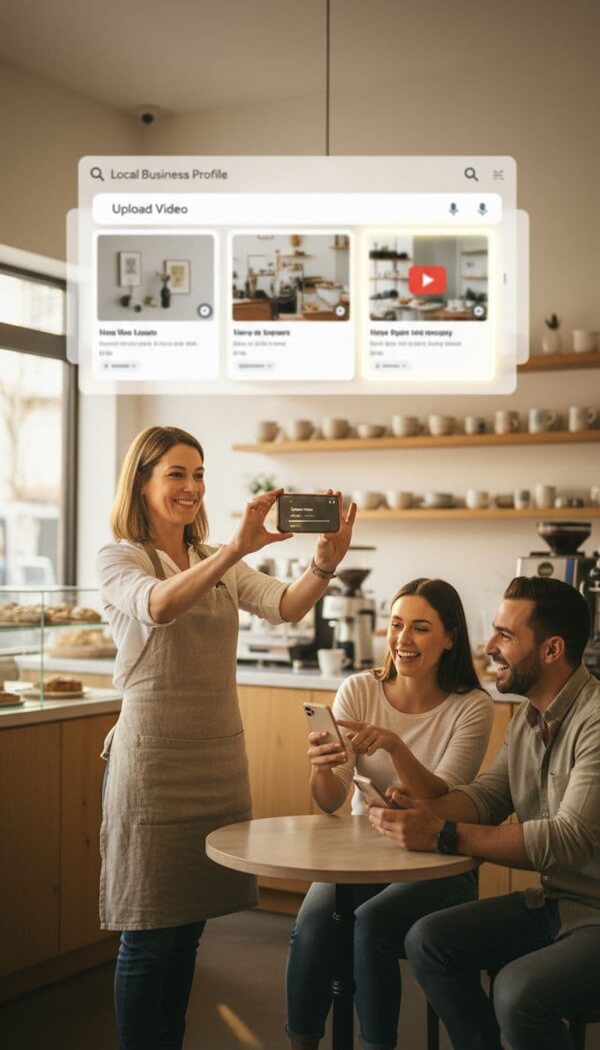
For a storefront business like a coffee shop, show a drink being prepared or a quick virtual tour-style clip of the space. A med spa might highlight a treatment room setup.
A boutique can feature a quick product sweep. For a service-area business like a roofer, use a before-and-after visual of on-site work.
A law firm might use a branded explainer clip to introduce services without sounding dramatic. Mobile services can build visual authority by including a branded vehicle in the clip.
The clip should match the business type and the local intent behind the search. If someone looks up “bakery near me,” they want to see the shop, the products, or the experience. They do not need a mini commercial.
Animated and AI-assisted content can work well here, too. If you want more ideas, this piece on animated videos for business profiles gives a solid angle on when motion-based content makes sense.
When an AI-made video makes sense
AI-made video is a good fit when you need a clean branded clip, a simple explainer, a motion-graphic service overview, or a product promo built from existing visuals. It can also help when you don’t want to film people or locations.
The catch is simple. It still has to feel real. If the video looks generic, overly slick, or disconnected from the business, it can undermine trust rather than build it. Use actual brand colors, real offers, real products, real service categories, and visuals that match what customers will find.
Google treats regular promotional videos and verification videos differently. That’s where people get mixed up.
For normal profile uploads, Google’s help pages say videos should be up to 30 seconds, 75 MB or less, and 720p resolution or higher. You can confirm that in Google’s media upload guidelines for Business Profile. Google also reviews uploaded media before it appears.
For verification, the rules are stricter. Google’s video verification help page says the video must be a continuous, unedited recording uploaded from a mobile device through your profile and at least 30 seconds long.
Here’s the quick version:
| Video type | Main rule | Practical target |
|---|---|---|
| Promotional profile video | Up to 30 seconds, 75 MB, 720p+ | 15 to 30 seconds |
| Verification video | Continuous, unedited, at least 30 seconds | About 30 to 120 seconds |
What Google wants in a verification of your Google Business Profile video
Google is looking for proof of existence through three types: location, business presence, and proof that you manage the business.
That can mean showing permanent signage like a street sign or storefront sign, nearby landmarks, tools, branded materials, work equipment, a service vehicle, or yourself unlocking a staff-only area. The recording should be one take. No edits, no cuts, no stitched clips. Google’s photo and video policy page is where to check for the official rules.
What to keep in mind for regular promotional videos
Promotional clips are much simpler. Keep them short, clear, relevant, and easy to watch on a phone. Good lighting helps. Clean visuals help more. If you use text or voice, keep it minimal.
A video should make the business easier to understand, not harder.
How To Upload A Video To Your Google Business Profile
Uploading a video isn’t hard, but the path can look different depending on where Google routes you: Search, Maps, or your profile management view. Also, don’t panic if the video doesn’t appear right away. Processing and review can take time.
Upload a video from desktop
On the desktop, sign in to the Google account that manages the business. Search your business name in Google, or open the Business Profile manager view if Google sends you there.
From there, go to the media area, usually under Photos or Add photo. Choose the video file and upload it. After that, wait for review.
Note that you cannot edit a video post after upload, so delete and re-upload if changes are needed. Google’s desktop upload instructions walk through the current steps if the interface looks different on your end.
Upload your Google Business Profile Video from mobile device
On mobile, you may see the upload option in Google Maps or from the profile controls tied to your business account. Open the profile, go to Photos or Add Media, select the video, and upload it.
For verification videos, a mobile device is mandatory. Google requires that the video be recorded and uploaded through the mobile flow. Have official documents, such as a business license or utility bill, ready if the video is for verification to provide proof of management. For standard promotional uploads, mobile is mostly about convenience.
If your business category depends on strong local trust, like dental, service, or clinic marketing, these video tips for Google Business Profile rankings show how video can boost visibility in a niche market.
How To Improve The Chances Your Video Gets Seen
A good Google Business Profile video doesn’t waste the opening. The first few seconds should tell the viewer what the business is, what it offers, or what makes it useful. Show the product. Show the result. Show the business location. Get to the point.
Use the first few seconds to show value fast
Think of the opening like a handshake. If it feels vague, people move on.
For a branded AI-made video, start with the clearest service cue first. For a product clip, show the product right away. For a location-driven business, lead with the business location or outcome, not a long animated intro.
Keep the video clear, short, and on brand
Short usually wins. It’s easier to watch, easier to process, and more likely to hold attention. Google Business Profile videos have a 30-second limit, but engagement metrics, such as view time within the media carousel, serve as relevance signals for Local SEO.
Keep the visuals clean. If you use voiceover, make it easy to hear. If you use text overlays, keep them brief. Match the branding on your profile, website, and social channels so nothing feels off. The strongest videos feel simple, useful, and easy to trust.
Why Videos Get Rejected Or Do Not Show Up
Sometimes the issue is policy. Sometimes it’s quality. Sometimes it’s just review time. Videos often start in pending status during Google’s verification process and must transition to live status before they become visible.
Common mistakes to avoid before uploading
A verification video may fail if it doesn’t clearly show the location, the business in operation, and proof of management. Failures in video verification often stem from a lack of proof of existence or proof of management.
For a hybrid business, showing both the business location and branded vehicle is ideal. Promotional videos may stall if they’re blurry, too long, poorly exported, or look unrelated to the listing.
Weak lighting is a problem. So is branding that doesn’t match the business name. Another common issue is a clip that looks pretty but conveys nothing useful to the viewer.
What to do if your video is not approved or visible
First, wait a bit. Google can take time to process media and move it from pending status to live status. If the upload still doesn’t appear, check the account used, the video length, and whether the file matches Google’s current limits.
If a verification video gets rejected, re-record it with clearer proof points. If a promo video is blocked, review Google’s content rules, simplify the clip, and try again. Clean, short, relevant videos usually have the fewest problems.
FAQ: Google Business Profile Video Questions
How long should a Google Business Profile video be?
For regular promotional uploads, keep it between 15 and 30 seconds. Google lists 30 seconds as the max for standard profile videos, while video verification requires videos to be at least 30 seconds and meet specific proof rules.
Can I use an AI-made video on my profile?
Yes, if it’s accurate, useful, and clearly connected to the business. AI-made clips work well for branded promos, explainers, service overviews, and product visuals that don’t feel generic.
How long do uploads take to appear?
It varies. Some videos show fairly quickly in search results and Google Maps, while others sit in review or processing for a day or two. If it takes longer, check the file, the account, and the approval status.
What type of content works best?
Short videos that clearly show the business tend to work best and boost visibility in search results and on Google Maps. Product showcases, service explainers, before-and-after visuals, and clean brand clips usually beat vague promo reels.
Are promotional videos different from verification videos?
Yes. Promotional videos are customer-facing media for your profile. Verification videos serve as proof in Google’s verification process, and they have stricter rules around length, continuity, and what must be shown.
For a hybrid business, which video type should I prioritize?
For hybrid businesses blending physical locations with online services, prioritize video verification first to complete the verification process and ensure your profile appears reliably in Google Maps and search results. Follow up with promotional videos to stand out and engage customers.
Final Thoughts About Google Business Profile Video
The best Google Business Profile video is not the fanciest one. It’s the one that builds trust by giving people fast proof and completes your business description with a compelling visual narrative.
Keep it short. Keep it clear. Follow Google’s current rules. And if you use AI-made video, make sure it still feels tied to the real business people are about to contact.
These steps drive your Local SEO and help your profile stand out.
Create a Short Video Script for Your Google Business Profile
Use RightBlogger to quickly write a simple, local-friendly video script that shows off your business, builds trust, and helps people choose you faster.
Keep it short, clear, and focused on what customers want to see first. If you want, you can also turn that script into a full promo video with RightBlogger’s content tools.

As a Visual Digital Marketing Specialist for New Horizons 123, Julie works to grow small businesses, increasing their online visibility by leveraging the latest in internet and video technologies. She specializes in creative camera-less animated video production, custom images, content writing, and SlideShare presentations. Julie also manages content, blog management, email marketing, marketing automation, and social media for her clients.



0 Comments