
AI videos for brands offer another way to create explainers, product stories, and social clips with generated visuals, animation, voice, or editing tools. The best results start with a clear audience and message, not a promise of instant reach or sales.
Key Takeaways
- Choose one goal and one audience before selecting a format or tool.
- Use AI to draft or assemble content, then review every visual, voice, caption, and claim.
- Measure results against the video’s goal. Views alone do not prove business impact.
The video above features Yorkies as the speakers. It is one example of how I use AI-generated characters in brand content. The workflow below shows how I create a video, from writing the script and choosing an image to animating the clips and adding captions and music.
Why Brands Use AI Video
AI tools can help a small team draft scripts, create or animate visuals, generate voiceovers, add captions, and assemble edits. They can support production, but the time, cost, and quality depend on the project, the tools, and the review needed.
Brands can use AI video to explain a service, introduce a product, share a short story, or adapt a message for different platforms. Each version is a creative test, not a guarantee of more views, engagement, or sales.
Practical Uses for Brand Videos
AI video can support several common marketing tasks:
- Explainers: Break down a service, process, or idea with animation and narration.
- Product stories: Show a product’s features or use cases with generated scenes or visuals.
- Social clips: Turn one message into short vertical or square edits for social feeds.
- Branded visuals: Create supporting imagery and motion for a campaign or website.
- Localized versions: Adapt scripts, captions, or voiceovers for another language, then check each version with a fluent reviewer.
See an AI-generated short-video example and browse the short video clips portfolio for more examples. For product marketing video examples, see our guide to formats and use cases.
A Simple Workflow for Creating AI Videos
This workflow can help teams create AI videos for brands with a clear goal and review process.
- Set one goal. Decide whether the video should explain, introduce, teach, or invite a next step.
- Name the audience and message. Choose the one point viewers should remember. Keep claims specific and supportable.
- Draft the script and storyboard. Use short sentences, plan the visuals, and check the script against your brand voice.
- Create and edit the assets. Generate or select visuals, voice, music, and captions. Check that the format fits the platform.
- Review, publish, and learn. Check facts, rights, pronunciation, captions, and links. Test a small number of versions and compare them against your goal.
For a more detailed plan, see this AI video campaign workflow. For visual ideas and services, explore Visual AI services for brands.
How I Create My AI Videos
My process depends on the idea. I decide who will speak in the voiceover. Sometimes I use Yorkies; other times, I create AI toddler characters dressed as familiar figures, such as the Golden Girls or the cast of I Love Lucy. For the video in this post, I chose Yorkies.
- I use RightBlogger’s video script tool to draft a 30- to 45-second voiceover, naming the speakers and the video idea. Then I review and edit the script.
- I ask the free version of ChatGPT for a photorealistic image prompt. I try it in RightBlogger’s AI image generator and the free Duck.ai, compare the results, and choose an image.
- I upload that image to Grok Imagine and give it the dialogue for the character to say.
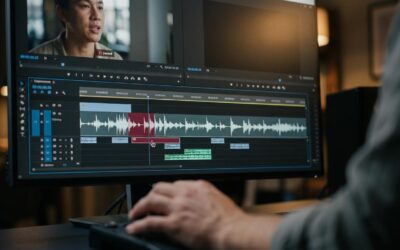
- I number the clips in order, then combine them in the free version of Clipchamp.
- I use Pictory to add captions and background music.
- I upload the finished video to my YouTube channel. I use RightBlogger for the description, tags, and thumbnail text hook. For my WordPress post, I use the free vidIQ YouTube thumbnail downloader to download a thumbnail.
When a concept uses recognizable people or characters, check rights and platform rules before publishing.
Review for Accuracy, Rights, and Trust
Before publishing AI videos for brands, check the facts, rights, and details that could affect viewer trust. Do not let AI invent product features, results, testimonials, or endorsements. Confirm you have permission to use any real person’s likeness or voice, and review the tool’s terms for commercial use of generated assets.
Do not present a synthetic person as a real customer or expert. Disclose material connections when you use endorsements, and follow applicable laws and platform policies. The FTC explains its guidance on reviews and testimonials and social media disclosures. The right disclosure depends on the content and context.
Choosing Tools for Your Brand
Choose tools based on the tasks you need, such as script drafting, image animation, voice generation, captions, editing, and export. In my workflow, I use Pictory to add captions and background music. Fliki offers a different option: its script-to-video workflow can build scenes from a script with visuals, narration, music, and subtitles. Compare the editing features and check the current plan terms, including commercial-use rights, before choosing a tool. Read this ElevenLabs review for more about that voice tool.
Some tool links may be affiliate links. The site may earn a commission if you sign up through them, at no extra cost to you.
Make Each Video Feel Like Your Brand
AI videos for brands can use generated visuals and edits, but brand consistency comes from choices you set before you create assets. Write a short creative brief for each video. Include the audience, the main message, the tone, and the action you want viewers to take. Keep the brief focused on one idea, so the script and visuals support the same point.
Save a reusable checklist for recurring brand details. It can guide AI tools and human reviewers, especially when more than one person works on the content.
- Visuals: Note your brand colors, logo rules, image style, and any product details that must stay accurate.
- Voice: Describe the tone, pronunciation of names, and preferred narration style.
- Text: Set caption, spelling, and readability preferences. Check contrast so captions are easy to read.
- Rights: Record where assets came from and confirm that you can use them for the planned purpose.
- Review: Name who checks facts, visuals, captions, and links before publication.
Example: A Bakery’s Recurring Yorkie Character
Imagine a neighborhood bakery using an AI-generated Yorkie character in short clips about a new treat and answers to common customer questions. The bakery could keep the character’s look, brand colors, and friendly tone consistent, while using clear captions so viewers can follow along with the sound off.
This fictional example shows one way to build a recognizable style. The bakery should check that product details are accurate and make sure the character does not imply a real customer endorsement.
Create one short sample before making several versions. Check whether its colors, pacing, voice, and visual style fit your brand. If a generated person, product, or setting looks inaccurate, revise the prompt or choose a different asset. Do not keep a polished scene if it distracts from the message or suggests a feature or result that is not real.
When adapting a video for another platform, adjust the format and opening to fit that placement. Keep the core message consistent, but check that captions, links, and calls to action still make sense in each version. Save the approved script and project files so future edits can start from a reliable reference.
How to Measure Results
To measure AI videos for brands, match each metric to the video’s goal. For an explainer, track completion or watch time. For a campaign meant to bring visitors, track link clicks and landing-page actions. For a sales goal, use conversion tracking and compare results with a relevant baseline. Views alone do not show whether a video helped the business, and results can be affected by the audience, offer, timing, and distribution.
AI Videos For Brands Frequently Asked Questions
What are AI videos for brands?
They are videos made with AI-assisted tools for brand communication. A team might use AI to generate or animate visuals, draft a script, create narration, add captions, or edit footage.
Can AI videos replace traditional video production?
Sometimes they can support or simplify a project, especially for explainers, concept visuals, and short social edits. They are not the right choice for every story. Live action, original footage, or specialist production may be a better fit when authenticity, precise product details, or human performance matters.
Do brands need to disclose that a video uses AI?
Requirements depend on the content, context, applicable law, and platform rules. Pay special attention to synthetic endorsements, realistic depictions, and claims that could mislead viewers. Check current guidance before publishing; an AI label does not make a false claim acceptable.
How can a small business start?
Choose one audience and one message, make a short test video, review it carefully, and measure one outcome that fits the goal. Use what you learn to improve the next version rather than assuming the first one will perform.
AI Videos For Brands Final Thoughts
AI video can give brands another way to explain ideas, show products, and create visual content. Start with a clear purpose, review the finished work, and judge it by useful results rather than production speed alone. For help developing branded visuals, see Visual AI services for brands.
Originally published on October 4, 2025; Republished November 8, 2026, to update content.

As a Visual Digital Marketing Specialist for New Horizons 123, Julie works to grow small businesses, increasing their online visibility by leveraging the latest in internet and video technologies. She specializes in creative camera-less animated video production, custom images, content writing, and SlideShare presentations. Julie also manages content, blog management, email marketing, marketing automation, and social media for her clients.



0 Comments