
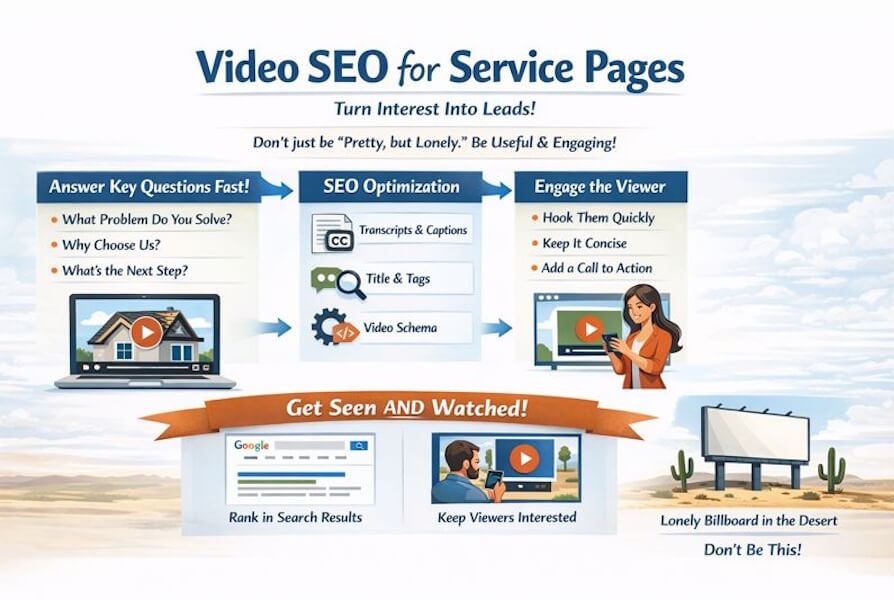
Video SEO for Service Pages is where interest turns into real leads. When someone hits a page like Roof Repair or Book a Free Consult, your video can’t just look good. It has to answer the buyer’s main questions right away.
That’s the point of video SEO on service pages. Search engines need clear info about your video, and people need a reason to keep watching. A video no one watches is like a billboard in the desert; it looks great, but no one sees it.
Here’s a simple Video SEO playbook to help you embed videos the right way, write titles that match what people want, and add markup that can help your videos show up in search results and earn more clicks.
Video SEO for Service Pages: Pick the Right Video and Host It Smart
A service page video has one job, help the visitor choose you. If the page is for “Emergency Plumbing,” the video should feel like a calm buddy who shows up with a wrench, a plan, and zero drama.
Keep it short for Video SEO for Service Pages. Most service page videos hit the sweet spot at about 45 to 120 seconds. People want answers, not a movie trailer.
After you do keyword research and find the terms buyers actually type, build your script around:
- The problem (what’s going wrong)
- Your process (what happens after they call)
- Trust (reviews, guarantees, safety steps, anything that lowers fear)
- The next step (call now, book online, get a quote)
Video SEO for Services Hosting Options
You usually have two paths:
YouTube/Vimeo hosting: Easy, fast, and often lighter on your server. Great for reach and YouTube SEO.
Self-hosting (or secure hosting): More control, sometimes better branding, but you must handle performance and crawl access.
If you want a broader refresher, New Horizons 123 has a solid primer on how to optimize video for search engines. For a wider industry view, this beginner-friendly video SEO guide is helpful for filling in the basics.
One more 2026 reality check: Google has been clearer about Watch Pages and technical requirements for Video Indexing. If your video exists but Googlebot can’t access key Metadata (like the video file or thumbnail), you’re making it harder for your page to earn video features.
Video SEO For Service Pages: Embed Videos Without Wrecking Speed
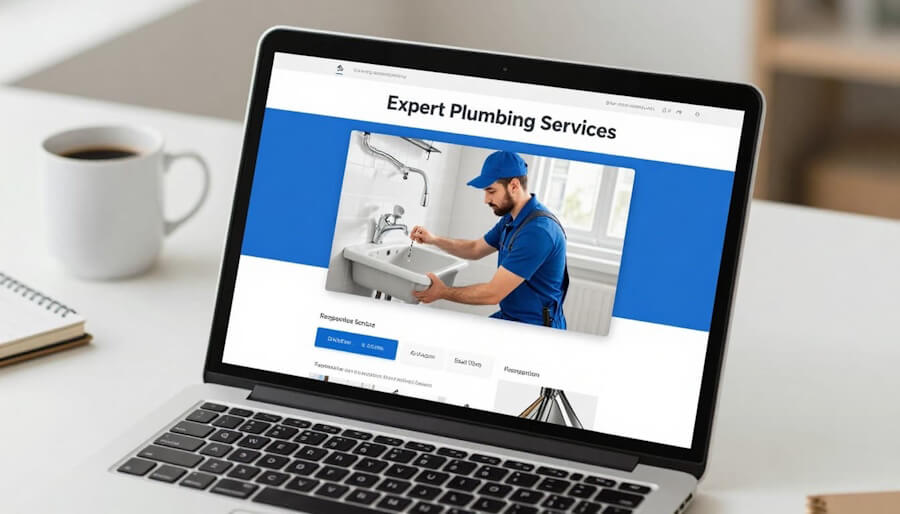
Embedding embedded videos is where good intentions go to die. You add a video, then your page loads like it’s on a treadmill wearing flip-flops. A clean embedded video setup usually means:
Make the video easy to find
Put it above the fold, close to the main value prop. If it’s buried under accordions or three scrolls of text, fewer people watch, and search engines may treat it as less important.
Use responsive embeds
Your video should fit mobile screens without weird cropping or tiny player controls.
Lazy-load the player
Instead of loading the full video player right away, load a lightweight preview first and trigger the real player on click. This technical SEO approach can noticeably improve page speed.
Avoid embedding the same video on five service pages
Pick one primary “home” page for that video. Duplicates can confuse relevance signals.
Add supporting text near the video
A short intro and a transcript snippet help both users and video indexing.
If you want more embed-specific ideas for video SEO, this embedded video SEO optimization guide is a nice checklist. You can also compare it with New Horizons 123 guidance on embedding videos to boost blog SEO, many of the same principles apply to service pages.
Write Video Titles and Video Descriptions That Match Buyer Intent
Service page videos don’t need clickbait. They need clarity. Think of the Video Title like a sign on a door: it should tell people they’re in the right place.
Start with keyword research to uncover long-tail keywords that align with buyer searches. Then use practical Video Title patterns that tend to work:
- Service + location + outcome: “Water Heater Repair in Phoenix, Same-Day Options”
- Service + time expectation: “How Long Does a Bathroom Remodel Take?”
- Service + pricing angle (if you can): “What Does Commercial Cleaning Cost?”
On the page, match the Video Title to the page topic. If your page is “HVAC Maintenance,” don’t title the embedded video “Meet Our Team.” That’s a different page.
For Video Descriptions, write 2 to 4 short sentences that mirror real buyer questions. Include a simple CTA at the end (book, call, request a quote).
If the video lives on YouTube too, keep the Video Description consistent with the page’s promise. This approach boosts Video SEO by tying content directly to user intent.
Also, don’t skip accessibility. Transcripts and captions help users who watch with the sound off, and they provide search engines with more text context.
Add key moments, timestamps, and video chapters to help users navigate content and improve metadata quality. For transcripts and captions plus a deeper approach to metadata and polish, check the New Horizons 123 post on video optimization best practices.
Add Video Markup And Sitemaps So Google Can Understand What’s There
If embedding is the “front of house,” schema markup is the kitchen. Nobody sees it, but it keeps the place running. For service pages, the usual goal is simple: make it easy for Google to identify the video, connect it to the right page, and understand key details (title, description, video thumbnail, duration, upload date).
The most common structured data approach is VideoObject schema markup in JSON-LD. You don’t need to memorize every field, but you do want the basics accurate:
- name: matches the service intent
- description: short, specific, and aligned with the page
- thumbnailUrl (video thumbnail): crawlable and not blocked
- uploadDate and duration: accurate values
- embedUrl (and sometimes contentUrl): points to the real video location
A simplified shape looks like this: {"@type":"VideoObject","name":"...","description":"...","thumbnailUrl":"...","uploadDate":"2026-01-10","duration":"PT1M20S"}.
Google’s recent guidance has also stressed practical steps that often get overlooked: don’t block important video files from Googlebot (to support video indexing), and make sure the page where the video is watched is clear and accessible.
Video SEO For Service Pages FAQ
Should I host service page videos on YouTube or on my site?
If you want the simplest setup and extra discovery for YouTube SEO, YouTube is often the easiest, as it boosts Watch Time and Audience Retention. That extra visibility from YouTube SEO can even attract backlinks through shares. If you need more control (branding, access, privacy), self-hosting can work, but you must maintain page speed and ensure crawlers can access the assets.
How many videos should a service page have?
Usually one strong video is enough. If you add more, prioritize high-quality Metadata and a compelling Video Thumbnail for each; a clear Video Thumbnail drives more engagement than adding extra videos, which shouldn’t slow the page.
Do transcripts really help service pages rank?
Transcripts and Captions help in two ways: they make the page more useful for readers, and they support Video Indexing by adding text that explains what the video covers. Keep transcripts readable and relevant, not stuffed.
What’s the biggest technical mistake with embedded videos?
Slow loading. If the page feels heavy, people bounce. Use responsive embeds and consider lazy-loading so the page renders quickly.
Do I need VideoObject schema if I’m embedding YouTube?
It’s still worth adding on your page if the video is important to that service page. VideoObject schema provides essential Structured Data for Video SEO, helping connect the dots between the page and video details; this Structured Data enhances Video SEO even with YouTube embeds.
How can I check for video errors using Google Search Console?
Use Google Search Console to scan for video errors, such as indexing issues or crawl problems, and fix them quickly to improve performance.
Final Thoughts About Video SEO For Service Pages
A service page video should pull its weight: faster decisions, more trust, better Video SEO visibility. Get the basics right (smart embedding, buyer-focused titles from Keyword Research, Video Thumbnails optimized via Keyword Research, clean Metadata markup), and Video SEO service pages turn into a steady advantage, not a one-time experiment.
If you had to fix just one thing this week, fix the Technical SEO for embed speed and Video Thumbnail Metadata first to target Watch Page Rich Results and boost Click-Through Rate on Search Engine Results Pages. Your future leads will quietly thank you with their wallets.
Improve Service Page Video SEO With a Hook That Keeps People Watching
When you embed a video on a service page, SEO is only half the job. Yes, you should title it well, add VideoObject schema, and place it near the top. But if visitors hit play and leave within the first 3 seconds, your video doesn’t help much. Low watch time and weak engagement can limit the upside of that embed.
This free download gives you 30 AI-powered hook lines plus copy-paste prompts you can use to rewrite your opening for each service page video. Use it to match the hook to the page intent (problem, outcome, time frame, and who it is for), so the right visitors stay longer and take action.
Download the free AI Video Hook Guide and write a stronger opening for your next service page video.


As a Visual Digital Marketing Specialist for New Horizons 123, Julie works to grow small businesses, increasing their online visibility by leveraging the latest in internet and video technologies. She specializes in creative camera-less animated video production, custom images, content writing, and SlideShare presentations. Julie also manages content, blog management, email marketing, marketing automation, and social media for her clients.



0 Comments