
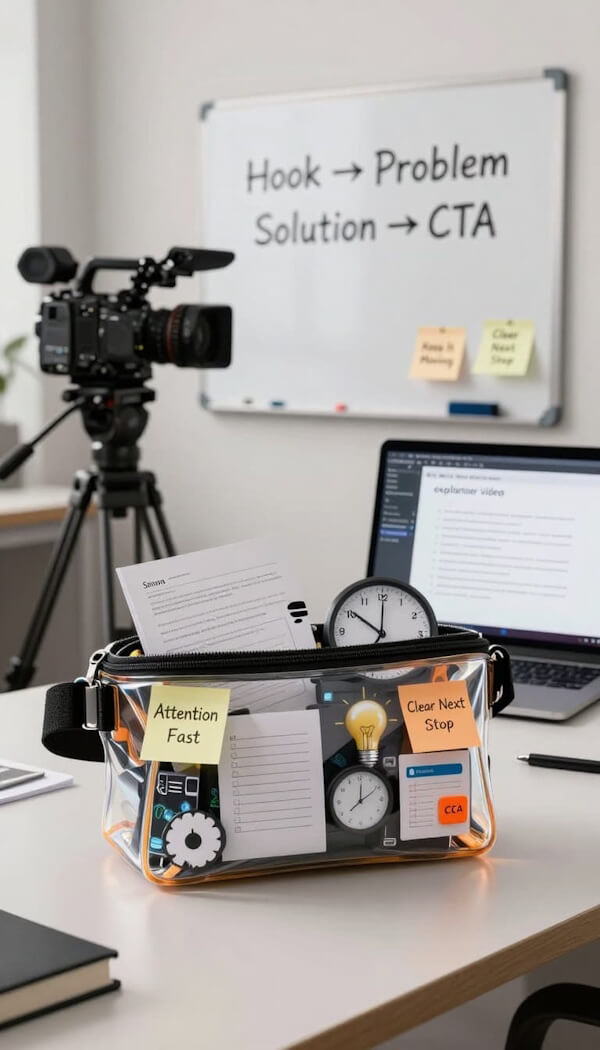
A 60-Second Explainer Video Script sounds short until you try to fit a real message inside it. Then it feels like packing for a two-week trip with only a fanny pack.
The good news is you don’t need more “creative freedom.” You need a simple setup that keeps things moving, grabs attention fast, and ends with a clear next step. This post shows you a proven explainer video script format, plus a fill-in-the-blank template you can copy into your notes and use today.
What “Converts” Means in a 60-Second Explainer Video Script
In a short explainer, “convert” usually doesn’t mean “buy immediately.” It means the viewer does the next sensible thing:
- Clicks to learn more
- Starts a trial
- Books a call
- Signs up
- Watches the next video
- Remembers you when they’re ready
A converting explainer video script is focused. It makes one promise, solves one problem, and gives one clear action. If you want a deeper refresher on fundamentals (tone, clarity, flow), this guide on How to Write an Effective Video Script is a solid companion read.
The 60-Second Explainer Video Script Structure (with Timestamps)
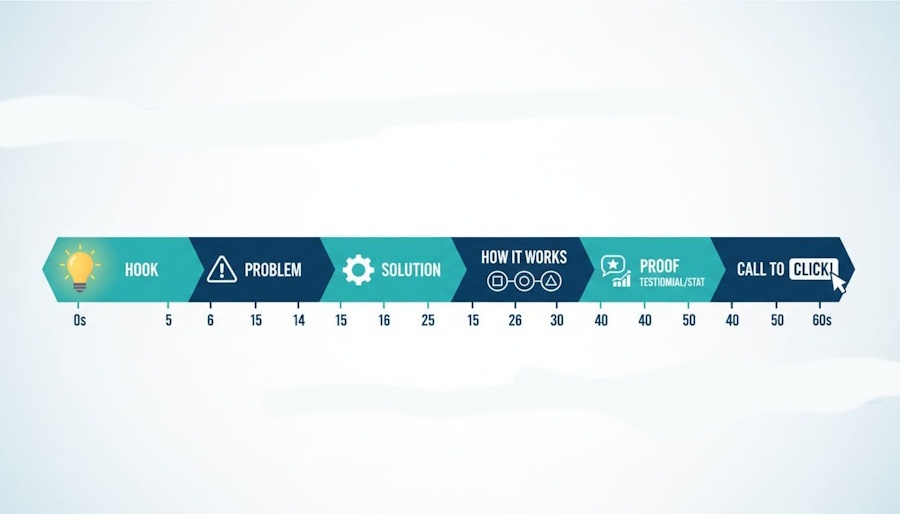
An AI-generated infographic showing a simple timeline of a 0-to-60-second script.
This structure works because it matches how people actually watch. They give you a few seconds, then they decide if you’re worth the next few.
A common voiceover pace is about 130 to 160 words per minute, so your 60-second script often lands around 130 to 160 words. That’s not a lot, so every line needs a job. Here’s the framework:
|
Segment |
Time | What to say | What to show |
| Hook | 0 to 5s | A bold promise or relatable moment | Pattern-break visual, big keyword on screen |
| Problem | 5 to 15s | The pain, in their words | Friction, mess, confusion, wasted time |
| Solution | 15 to 25s | Your simple fix | The product or method appears clearly |
| How it works | 25 to 40s | 3 short steps | Step icons, quick demo, screens |
| Proof | 40 to 50s | Result, stat, testimonial, logo bar | Social proof, outcome, before-and-after |
| Call to action | 50 to 60s | One clear next step | Button, URL, offer, calendar |
If you need examples of what strong “proof” lines can sound like, these explainer video script examples help see different styles and pacing.
The Free Fill-in-the-Blank 60-Second Script Template
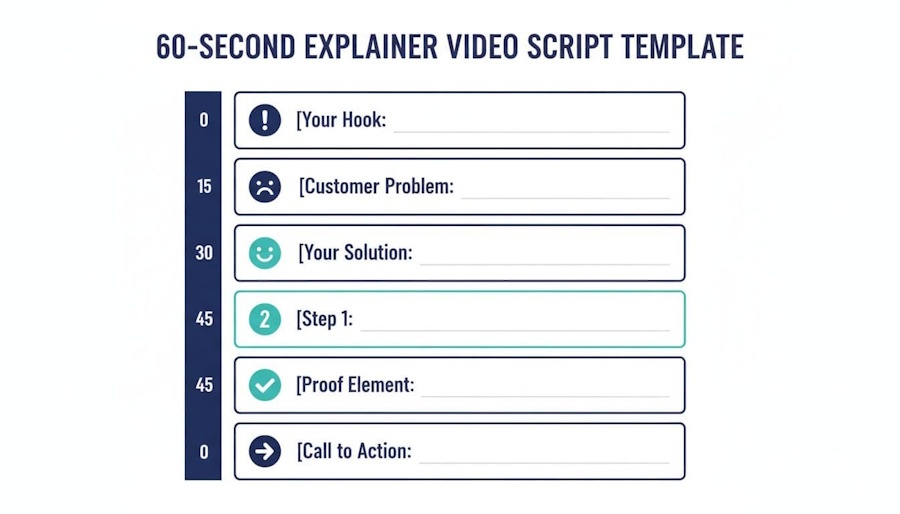
An AI-created visual template you can mirror in your own script doc.
Copy this template into a doc and fill in the blanks. Keep each bracketed section to one or two sentences max.
60-Second Explainer Video Script: 0 to 5 seconds: Hook
VO: “If you’re tired of [annoying problem], this takes about a minute.”
On-screen text: “[Big benefit] in 60 seconds”
Alternative hooks that don’t feel cheesy:
- “Most people waste [time/money] on [thing]. Here’s the simpler way.”
- “Stop doing [common mistake]. Do this instead.”
- “You don’t need [complicated tool/process] to get [result].”
5 to 15 seconds: Problem (make it feel real)
VO: “Here’s what’s happening. [Describe the situation]. Then [bad outcome]. And you’re stuck with [frustration].”
Tip: Use details your customer would say out loud, not what a brochure would say.
15 to 25 seconds: Solution (name it, keep it simple)
VO: “That’s why we made [product/service]. It helps you [primary result] without [big headache].”
If your offer is a service, be plain: VO: “We help [audience] get [result] by [simple method].”
Want a broader look at how this fits into a full explainer approach? This overview on how explainer videos capture audiences pairs well with the script structure here.
60-Second Explainer Video Script: 25 to 40 seconds: How it works (3 steps)
VO: “It’s three steps. First, [step 1]. Next, [step 2]. Finally, [step 3].”
Rule: Each step should be something you can show in a single visual.
Examples of tight step verbs:
- “Connect,” “Choose,” “Send”
- “Upload,” “Edit,” “Publish”
- “Book,” “Plan,” “Launch”
40 to 50 seconds: Proof (one strong proof beat)
VO options (pick one):
- “Teams like [type of customer] use this to [result].”
- “One client went from [before] to [after] in [time].”
- “Rated [rating] by [group], and growing.”
Keep proof specific, but don’t cram in a resume.
50 to 60 seconds: Call to action (one action only)
VO: “Ready to [desired outcome]? [CTA action].”
Examples:
- “Start your free trial at [site].”
- “Book a quick demo.”
- “Download the checklist.”
If you want more templates and angles for shorter clips, this post on Short‑Form Video Script Ideas can help when you’re turning one topic into many micro videos. I usually aim for about 30 seconds in most of my videos.
You will want to find a reliable and effective human-like AI voice generator. I highly recommend ElevenLabs Text-to-Speech and have been very satisfied with the results.
A Quick 60-Second Explainer Video Script Example (Fully Written)
Let’s pretend we’re selling a scheduling tool for small teams.
60-Second Explainer Video Script: Hook (0 to 5s):
VO: “Still booking meetings like it’s 2009? Let’s fix that in 60 seconds.”
Problem (5 to 15s):
VO: “You email five time options, they reply with one you can’t do, then someone goes silent. Now your calendar looks like a game of Tetris you didn’t agree to play.”
60-Second Explainer Video Script: Solution (15 to 25s):
VO: “MeetNest lets people book the right time instantly, based on your real availability.”
How it works (25 to 40s):
VO: “Pick your meeting type, set your hours, then share one link. That’s it. MeetNest handles time zones, buffers, and reminders.”
Proof (40 to 50s):
VO: “Teams report fewer no-shows and more booked calls in the first week.”
CTA (50 to 60s):
VO: “If you want your calendar back, start free today at MeetNest.com.”
Clean, tight, visually friendly. No bonus subplots.
The Mistakes That Quietly Kill Conversions (And How to Dodge Them)
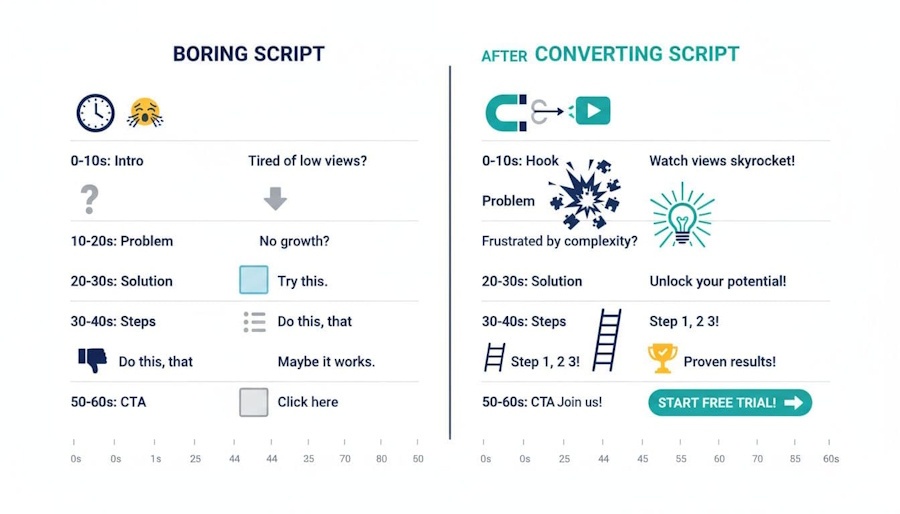
An AI-created comparison of a flat script versus a higher-converting structure.
Mistake 1: Trying to teach everything.
A 60-second explainer is a movie trailer, not the whole movie. Give the core idea, then point to the next step.
Mistake 2: Vague benefits.
“Save time” is fine, but “stop chasing replies for meeting times” paints a picture. Specific wins.
Mistake 3: No visual plan.
If your “How it works” section can’t be shown, it will feel confusing. Use verbs you can film, animate, or screen-record.
Mistake 4: A weak CTA.
“Learn more” is a shrug. Tell them exactly what to do next, and make it easy.
If you’re repurposing written content into short videos, you’ll also like this quick guide on turning blog posts into short videos. It helps you keep the message tight when you start from a long article.
Frequently Asked Questions About Writing a 60-Second Explainer Video Script (Without Rushing the Message)
What’s a 60-second explainer video script, really?
It’s a short script built to explain one idea fast, usually a product, service, or process. Most 60-second explainers land around 130 to 160 spoken words, depending on pace and how much breathing room you want.
If it feels like you’re trying to fit a whole website into one minute, it’s not an explainer anymore, it’s a speed run.
How many words should a 60-second explainer script be?
A common range is 130 to 160 words. Faster reads can push higher, slower reads (or more emphasis and pauses) land lower. A simple way to sanity-check it:
- Read it out loud at a natural pace.
- If you’re out of breath, it’s too long.
- If you finish and think, “Wait, that’s it?”, you may need one more key point.
What structure works best for a one-minute explainer?
Most strong 60-second explainers follow a clean flow:
- Problem: What’s frustrating right now?
- Solution: What do you offer that fixes it?
- How it works: 2 to 3 steps, max.
- Benefit: What gets better for the viewer?
- Call to action: What should they do next?
You don’t need plot twists. You need clarity.
What should I leave out to keep it under 60 seconds?
The minute disappears fast. Cut anything that doesn’t earn its spot, like:
- Long backstory (save it for your About page)
- Feature lists (pick the top 1 to 3)
- Extra examples (one good example beats three “okay” ones)
- Buzzwords that sound nice but don’t explain anything
A good rule: if a line doesn’t help the viewer understand, trust, or act, it’s gone.
How do I make the script match the visuals?
Write with the screen in mind. A 60-second explainer is usually “show and tell,” not “tell and hope.” Helpful habits:
- Use short lines that are easy to time to scenes.
- Write concrete moments the viewer can picture (a messy spreadsheet, a missed deadline, a packed calendar).
- Keep on-screen text minimal, it should support the voice, not compete with it.
If the voiceover is explaining three things while the screen shows a fourth, people tune out fast.
Should the script sound like a conversation or more formal?
Conversation wins most of the time, especially in 60 seconds. Short videos need simple words, quick sentences, and a human tone.
A good target is “smart friend explaining it,” not “boardroom presentation reading itself out loud.”
What makes a call to action work in a 60-second explainer?
A strong CTA is one clear next step, not a buffet of options. Keep it specific and easy:
- “Start a free trial.”
- “Book a demo.”
- “Get a quote.”
- “Watch the next video.”
Also, match the CTA to intent. If someone just met you, “Buy now” can feel like a first-date marriage proposal.
Can a 60-second explainer work for a complex product or service?
Yes, if the goal is the right size. In one minute, you’re not teaching the whole system. You’re selling the next step, like understanding the core value and why it matters.
Focus on:
- The one biggest pain you solve
- The one clearest outcome
- The simplest explanation of how it works
If you try to explain everything, viewers remember nothing. If you explain one thing well, they’ll click for more.
Final Thoughts About A 60-Second Explainer Video Script
A converting explainer video script isn’t about fancy lines. It’s about timing, clarity, and one strong idea that moves from problem to proof without wandering off for snacks.
Use the 0 to 60 structure, fill in the template, read it out loud, then cut 10%. If it still makes sense after the cut, you’re on the right track.
If you want shorts that make people stop, feel something, and share, let’s build them for your brand.

As a Visual Digital Marketing Specialist for New Horizons 123, Julie works to grow small businesses, increasing their online visibility by leveraging the latest in internet and video technologies. She specializes in creative camera-less animated video production, custom images, content writing, and SlideShare presentations. Julie also manages content, blog management, email marketing, marketing automation, and social media for her clients.



0 Comments